DESIGN:OS Toolchain · DESIGN:OS Studio
Native GPU-accelerated interface design studio, enterprise Figma .fig v106 binary read/write engine, Agentic PTY Chat UI, 11-stage Spec Reader, and 22-tool Model Context Protocol server built in 100% Rust.
Open and save 723,136-record enterprise Figma .fig v106 binary archives in ~1.5s with 0.0% idle CPU on Metal, DirectX 12, and Vulkan (wgpu + tiny-skia). Execute all 100 / 100 Figma A-to-Z Micro-Interactions (#1..#100) natively on canvas, run Claude Code (claude), OpenAI Codex (codex), Antigravity CLI (agy), Gemini CLI (gemini), and Grok CLI (grok) directly inside the native Agentic PTY Chat UI with zero paid external API keys, audit 11-stage PRODUCT:OS Spec Driven v2 requirements (US-01..US-17 + Gherkin + g1..g5 gates), and generate multi-target Dev Mode code offline.


-202020?style=flat-square&labelColor=202020&color=444444)



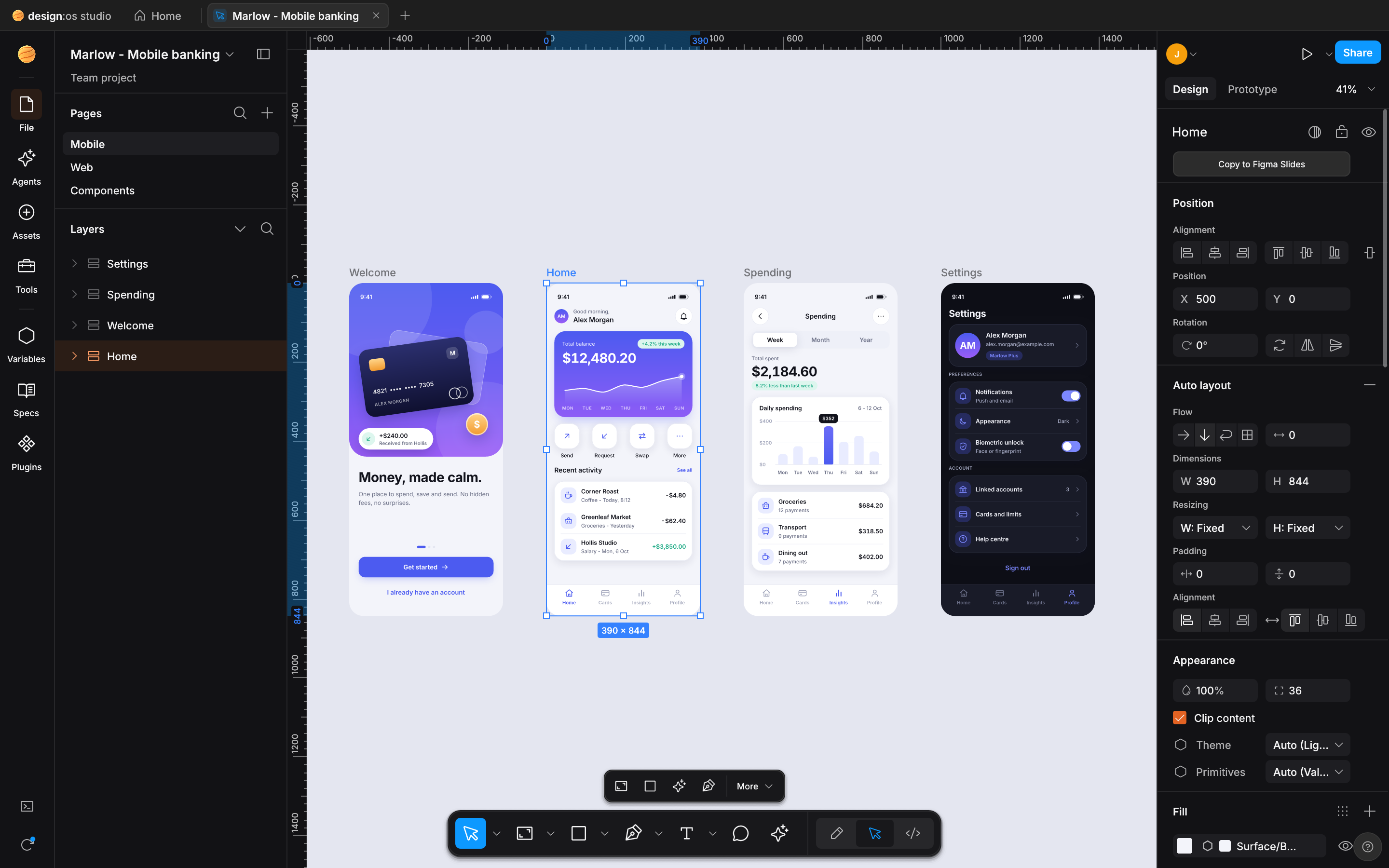
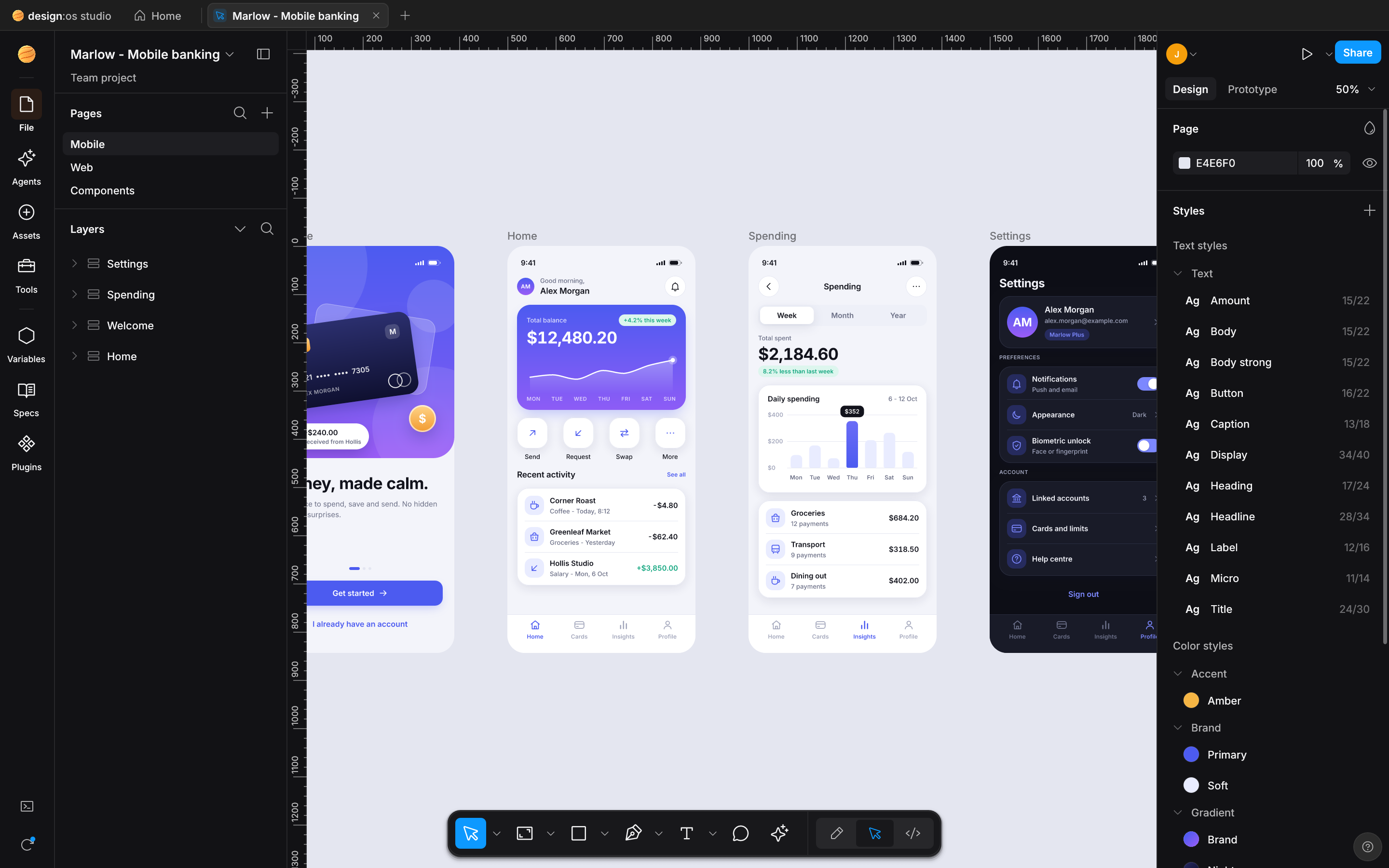
DESIGN:OS Studio rendering an enterprise .fig v106 design system (723,136 Kiwi records / 112,474 scene nodes) natively on Apple Silicon Metal in 1.54s with 0.0% idle CPU.
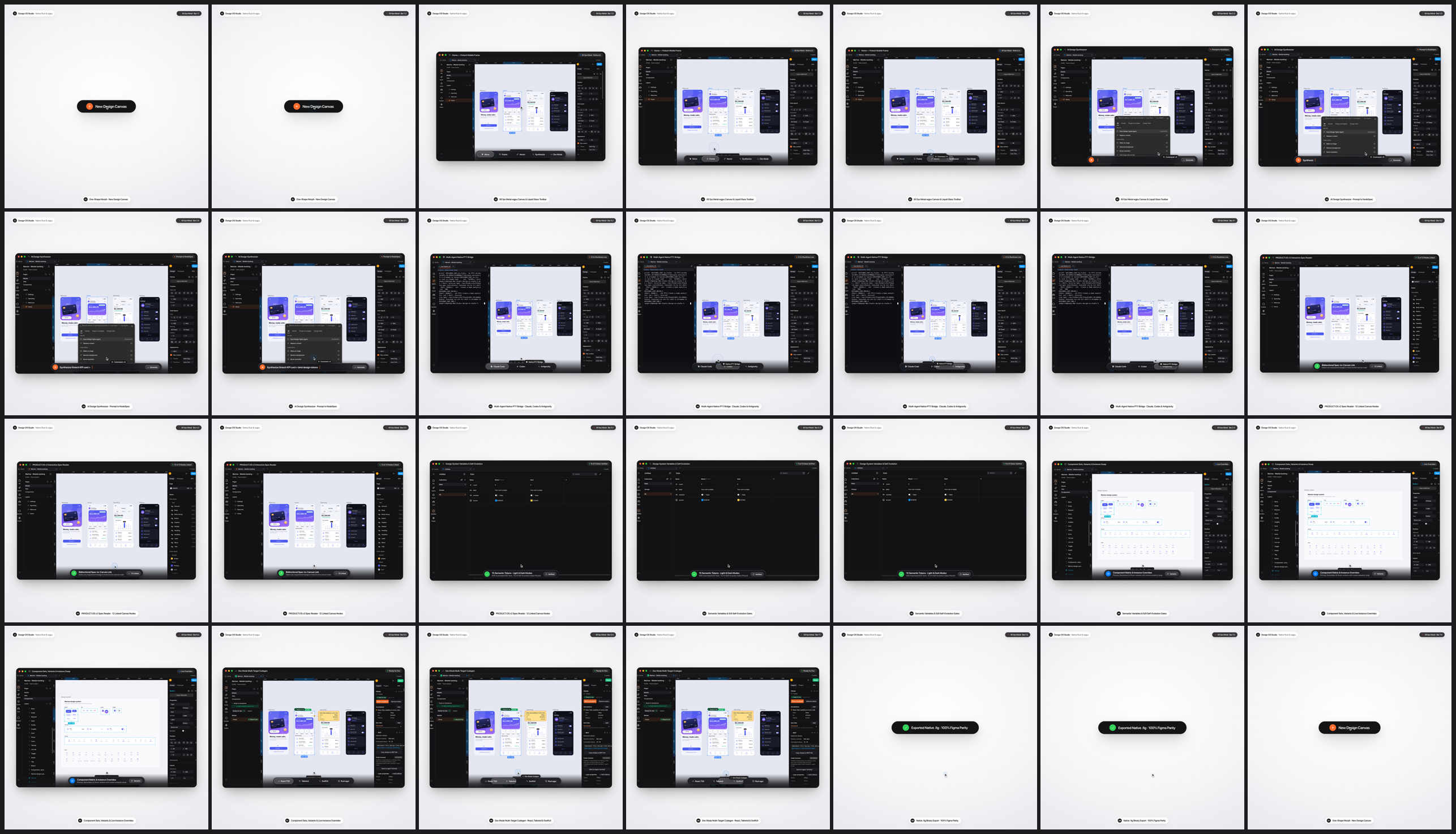
Embedded Launch Motion Film (01-designos-studio-launch-hero.mp4 · 1440×1440 @ 60fps): One-Shape UI Motion + Real Studio Retina 2x captures.
Facts Register
- Repository
- jangtrinh/
design-os-studio - Engine Stack
- 100% Rust +
wgpu+tiny-skiaMetal · DX12 · Vulkan · Zero Electron - Figma Parity
.figv106 + 100/100 Micro-UX387 / 387 UI3 (487 / 487) · 856 tests- Agent Surface
- 22 MCP Tools + PTY ChatClaude · Codex · Antigravity · Grok
- Telemetry
- Zero Tracking100% offline local-first
- License
- MIT OR Apache-2.0macOS · Windows · Linux
Why DESIGN:OS Studio? (Honest Comparison vs Figma Desktop, Penpot & Pencil/OpenPencil)
Browser-wrapped Electron design tools choke on 100,000+ node enterprise files, lock .fig binary authoring behind proprietary cloud servers, and force AI coding agents to scrape 150KB+ of noisy REST JSON without direct canvas write-back or local spec verification. Our architectural advantages first, followed by the honest trade-offs.
723k-record enterprise scale & 0.0% idle CPU
Uniform 2048x2048 spatial grid culling (SceneIndex), 4-tier semantic zoom LOD, canonical GeomCache mesh sharing, and FrameKey GPU texture reuse render 112,474-node files in 1.54s on Metal with zero idle repaints.
Bidirectional Figma .fig v106 binary read & write
Opens and saves authentic fig-kiwi v106 binary archives (DEFLATE/Zstd canvas.fig + meta.json + images/) with full symbolOverrides, parameterConsumptionMap, and handoffStatusMap parity.
Native Agentic PTY Chat UI & 22-tool MCP server
Run your existing Claude Code (claude), Codex (codex), Antigravity (agy), or Grok (grok) subscription inside the Agents Left Rail with ANSI-stripped chat bubbles, 1-click NodeSpec canvas apply, and zero extra API bills.
11-Stage PRODUCT:OS Spec Reader & Headless GPU QA
Audit User Stories (US-01..US-17), Gherkin acceptance criteria, and g1..g5 gates alongside the canvas with 500ms disk hot-reload and deterministic --gpu --screenshot + designos-diff verification.
| Dimension | Figma Desktop (Cloud / Electron) | Penpot / Pencil / OpenPencil | DESIGN:OS Studio (design-os-studio) |
|---|---|---|---|
| Runtime & GPU Engine | Electron + Chromium / WebGL (1.5 GB+ RAM, continuous idle repaints) |
Browser DOM / SVG / Canvas2D or Electron webview wrapper | 100% Rust (wgpu Metal / DX12 / Vulkan + tiny-skia), 0.0% static viewport CPU |
Enterprise Scale (723k Records / 112k Nodes) |
Browser tab OOM crashes, multi-second cloud streaming stalls | DOM / SVG layout bottlenecks above 5k–10k nodes |
Uniform 2048x2048 SceneIndex culling + 4-tier semantic zoom LOD, 1.54s cold load, -96.5% disk size (242 MB vs 6.80 GB) |
Figma .fig v106 Binary Read/Write |
Proprietary cloud lock-in; .fig saves require online servers |
Read-only or lossy third-party converters; no native .fig v106 write-back |
Native bidirectional fig-kiwi v106 Read & Write (DEFLATE/Zstd canvas.fig + meta.json + images/, symbolOverrides, parameterConsumptionMap) |
Tactile Micro-Interactions (#1..#100) |
Reference UI3 standard (126.9.13), browser-bound latency on huge files |
Partial subset; missing CSS Grid track pills, Smart Selection ring swaps, or Scale Tool (K) |
100 / 100 Figma A-to-Z Micro-Interactions (#1..#100) verified end-to-end on native GPU canvas |
| Agentic Workflow & API Cost | Paid per-seat AI credits or read-only 155K-char REST JSON dumps |
External MCP plugins or paid API key wrappers (ANTHROPIC_API_KEY / OPENAI_API_KEY) |
Native Agentic PTY Chat UI (Claude Code · Codex · Antigravity · Gemini · Grok — zero extra API cost) + 22-tool designos-mcp |
| Spec-to-Canvas Traceability | External Markdown PRDs disconnected from canvas frames and QA gates | No built-in spec or Gherkin acceptance lifecycle verifier | In-App 11-Stage PRODUCT:OS Spec Driven v2 Reader (US-01..US-17 + Gherkin Given/When/Then + g1..g5 gates + 500ms live disk hot-reload) |
| Dev Mode Codegen & Visual QA | Paid Dev Mode seats required; cloud-only inspection | Basic CSS/HTML export; no headless GPU diffing CLI | Free built-in Dev Mode (Shift+D) (React, Tailwind v4, CSS, SwiftUI, Jetpack Compose) + headless --gpu --screenshot & designos-diff SSIM CLI |
| Privacy, Offline & Licensing | Mandatory cloud sign-in, proprietary license, background telemetry | Self-hosted Docker stack or Electron runtime telemetry | Zero telemetry — 100% local offline execution (PRIVACY.md audited), dual MIT OR Apache-2.0 |
Where traditional platforms win, and it is not close: Browser-hosted multiplayer whiteboarding with 50 simultaneous live WebRTC cursors, enterprise cloud org SSO/SCIM admin consoles, and hosted comment email/Slack notifications. If your workflow requires real-time cloud multiplayer without local git or file ownership, use Figma Cloud (paired with our live bridge design-os-figma-plugin) or a hosted Penpot instance instead.
Install once
Install the AI agent skill plugin in Claude Code / Codex, download a native OS installer (.dmg, -setup.exe, .deb), or build all 4 binaries from source.
# Option A: Claude Code plugin marketplace
/plugin marketplace add jangtrinh/design-os-studio
/plugin install design-os-studio@design-os-studio

# Option B: Clone & launch native Rust/wgpu Studio (or package .dmg / -setup.exe / .deb)
git clone https://github.com/jangtrinh/design-os-studio
cd design-os-studio
cargo run --release -p designos-app --bin designos-studio
./scripts/build-release.sh 0.2.0 --local-host
First safe use
- Run the deterministic offline repository, crate, and skill self-check.
python3 scripts/self_check.py - Apply a declarative
NodeSpecJSON onto a document and roundtrip to a standard Figma.figv106 binary archive.designos app.designos --apply-spec examples/specs/easeui-agent-console.spec.json designos app.designos --export-fig out.fig - Capture a headless GPU verification screenshot and run perceptual SSIM diffing.
designos-studio out.fig --gpu --size 1600x1000 --screenshot actual.png
designos-diff compare docs/images/designos-agent-spec.png actual.png --out diff.png
Every CLI and MCP operation is local-first, deterministic, and backed by 1-step Undo history inside the Studio.
The practical agentic loop
--panel specs
Inspects the 11-stage PRODUCT:OS Spec Driven v2 package (US-01..US-17, Gherkin scenarios, and g1..g5 gates) beside the canvas.
--rail agents
Opens the native Agentic PTY Chat UI wrapping Claude Code, Codex, Antigravity, or Grok with live selection context and inline NodeSpec apply.
--apply-spec / --export-fig
Compiles declarative JSON specs through Auto-Layout 5.0 and writes standard Figma .fig v106 binary archives.
--screenshot / designos-diff
Renders headless Metal/Vulkan/DX12 frames at 1600x1000 and verifies perceptual SSIM parity in CI.
Video Showcase (3 Master Launch Films @ 60fps + 8-Part A-to-Z Micro-Interactions Deep-Dive)
Built with the design-os-svg-animation HyperFrames v2 deterministic frame-seeking pipeline (window.seek(t), closed-form 2nd-order step-response springs, 4× subframe tmix motion blur, and 28-beat choreography @ 100.60 BPM).
Part A · 3 Master Launch Motion Films (1440×1440 @ 60fps)
-
DESIGN:OS Studio — Full Launch Tour
723,136 Kiwi records load in 1.54s on Metal, UI3 Dark Canvas, Agentic PTY Chat, 11-Stage Spec Reader,
⌘KAI Synth, Variables, Components & Dev Mode. -
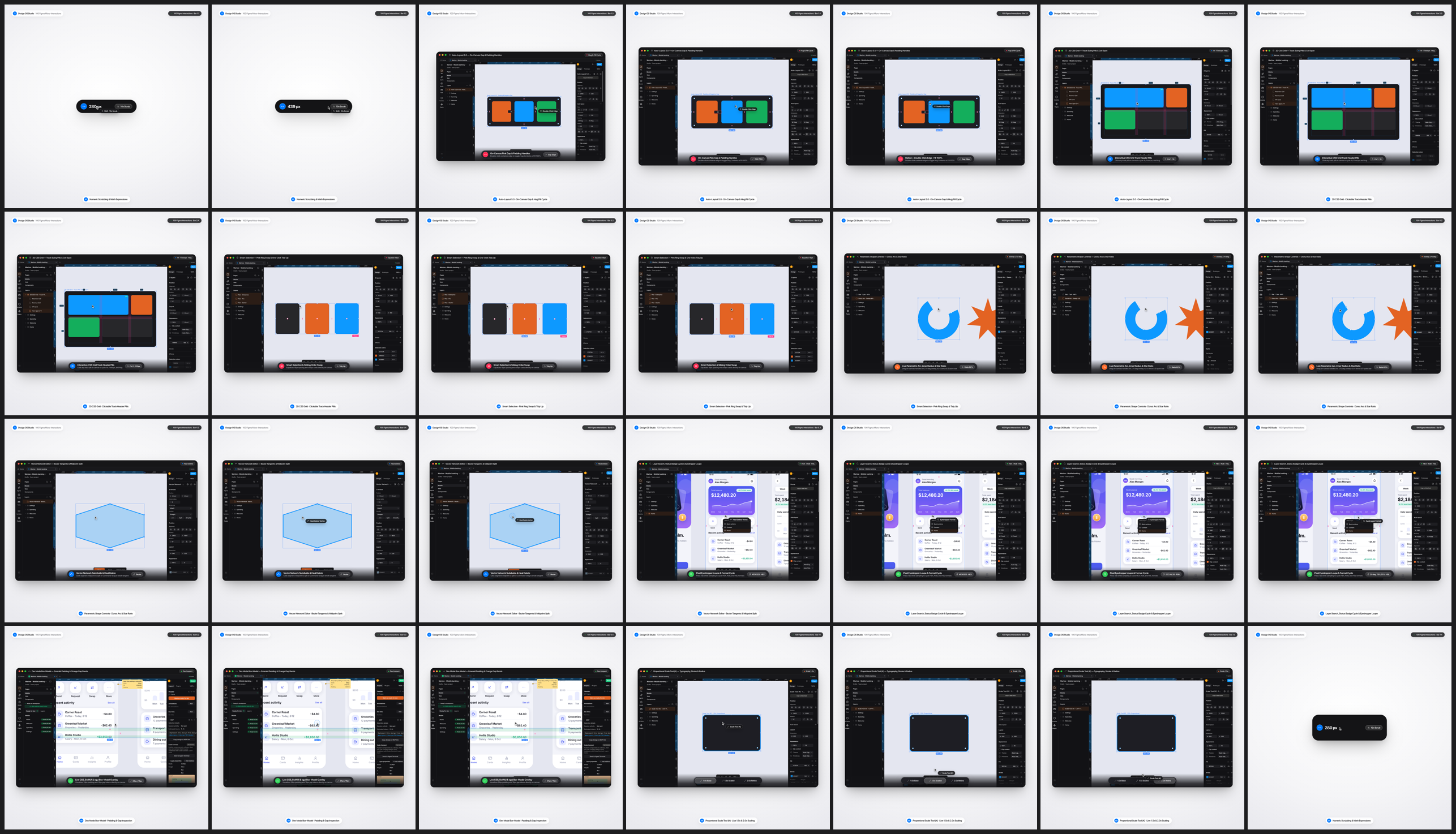
100 / 100 Figma A-to-Z Micro-Interactions
Auto-Layout 5.0 edge double-click
Fixed->Hug->Fill, CSS Grid track pills, Smart Selection ring swaps, Corner/Arc/Star handles, Vector Network tangents & Scale Tool (K). -
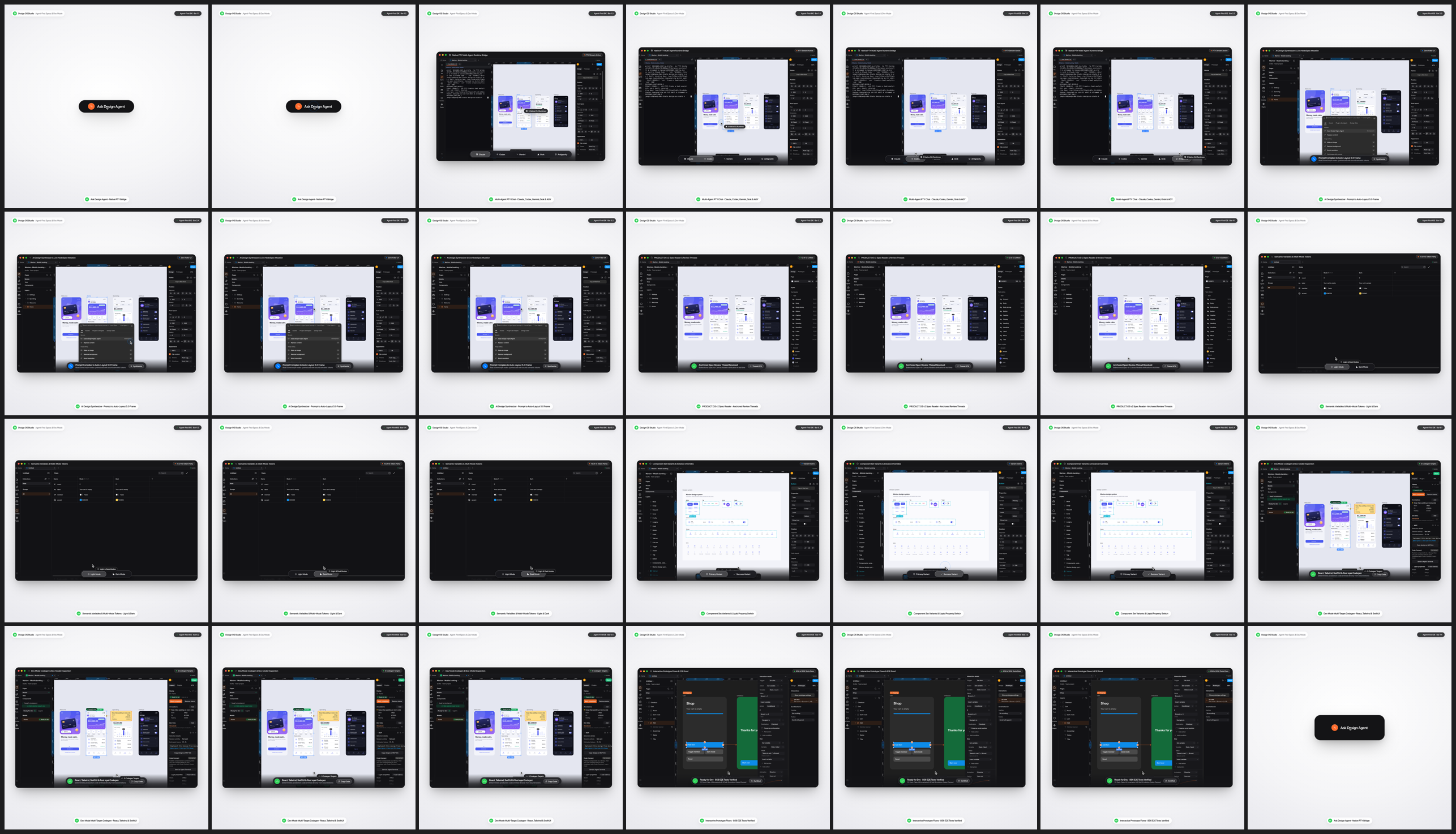
Agentic PTY, 11-Stage Specs & 5-Target Codegen
22-tool
designos-mcpbridge, Claude/Codex/Antigravity PTY Chat, Spec Readerg1..g5gates, Variables Light/Dark scrub, Dev Mode codegen & Prototype flows.
Part B · 8 × 30s Real-Canvas A-to-Z Micro-Interactions Deep-Dive Videos (16:9 1920×1080 & 9:16 1080×1920 @ 60fps)
-
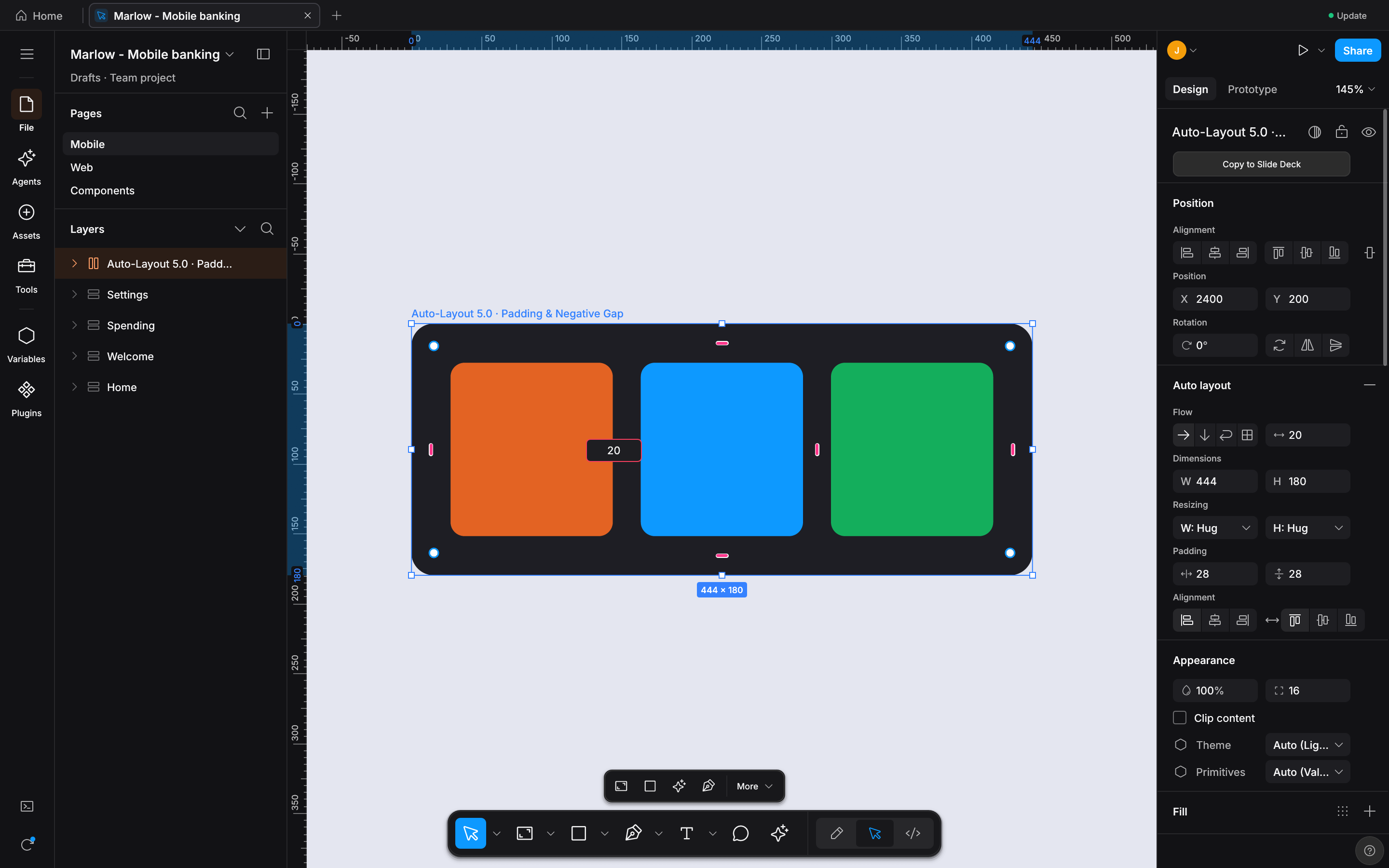
Auto-Layout 5.0 & Edge Sizing
6 real Studio states: pink gap drag (
12px -> 28px), inline gap input (16px), top padding drag,Optionmirror, and edge double-clickFixed -> Hug -> Fill. -
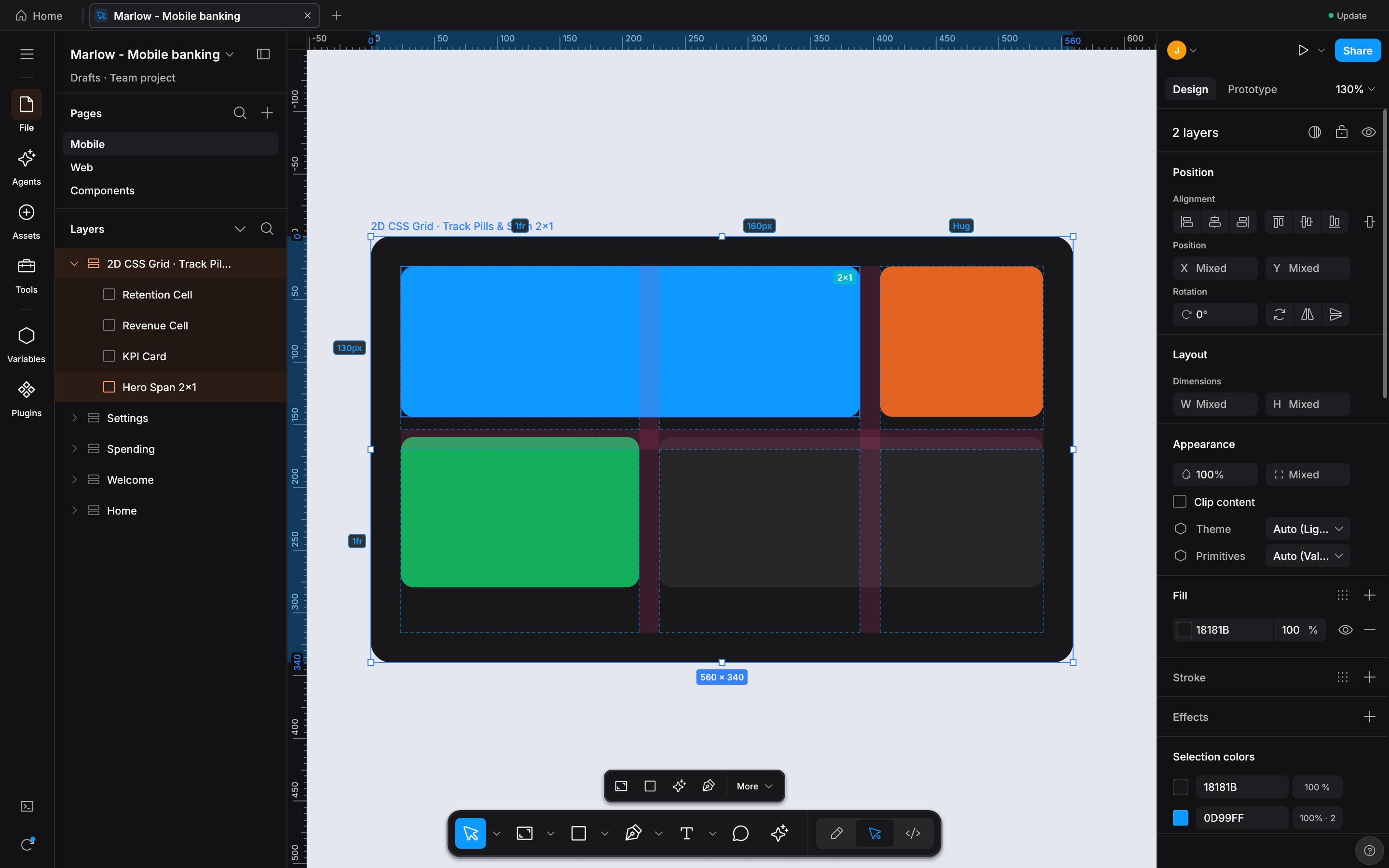
2D CSS Grid Tracks & Cell Span
6 real Studio states:
1fr -> 220px -> Hugcolumn track pill cycle, row track sizing, gutter drag, and2x1 Span -> 2x2 Spanhandle. -
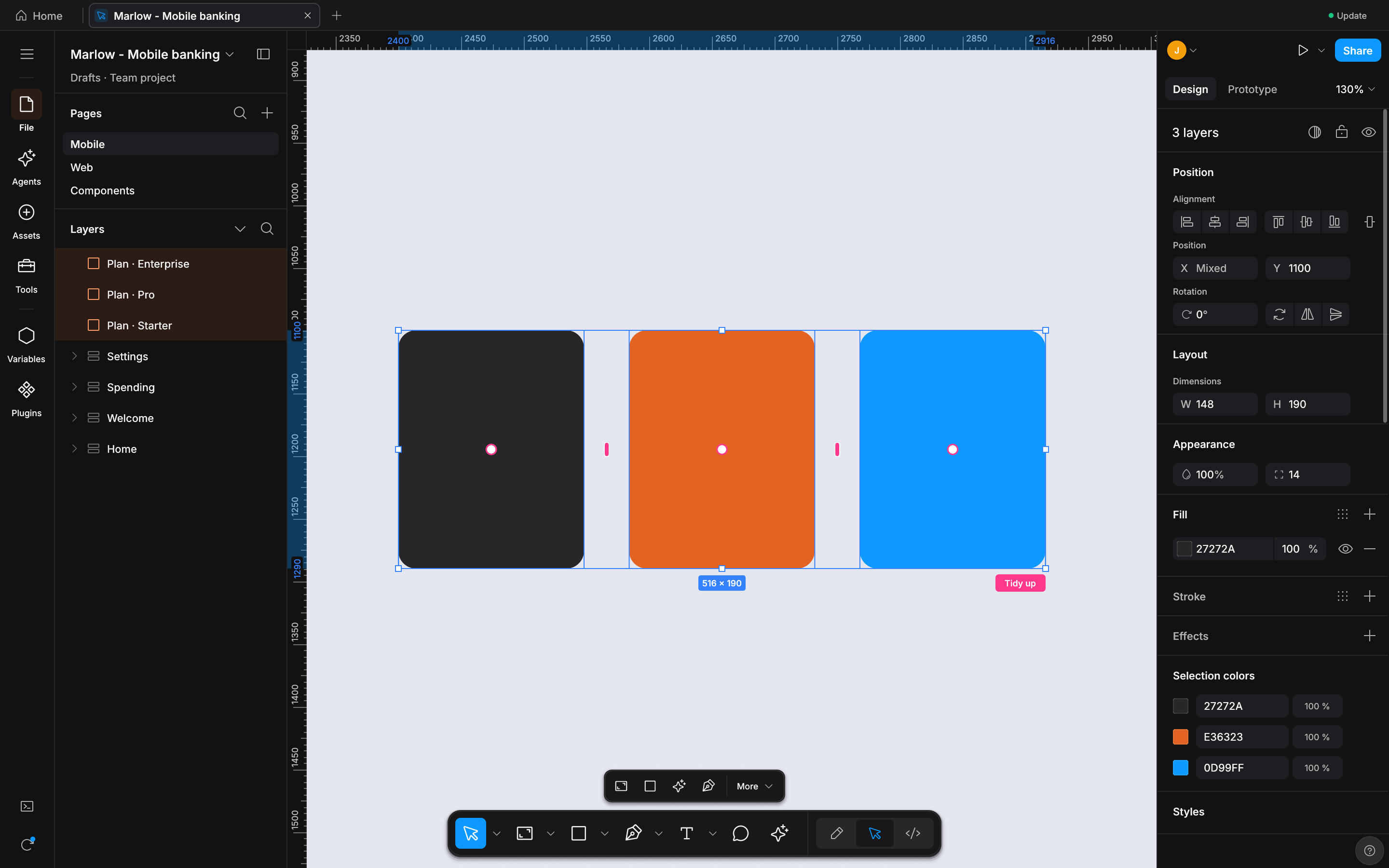
Smart Selection & One-Click Tidy Up
6 real Studio states: multi-select 3 uneven cards, click
Tidy upto snap24pxequal gaps, drag pink gap bar to36px, and ring-swap sibling order. -
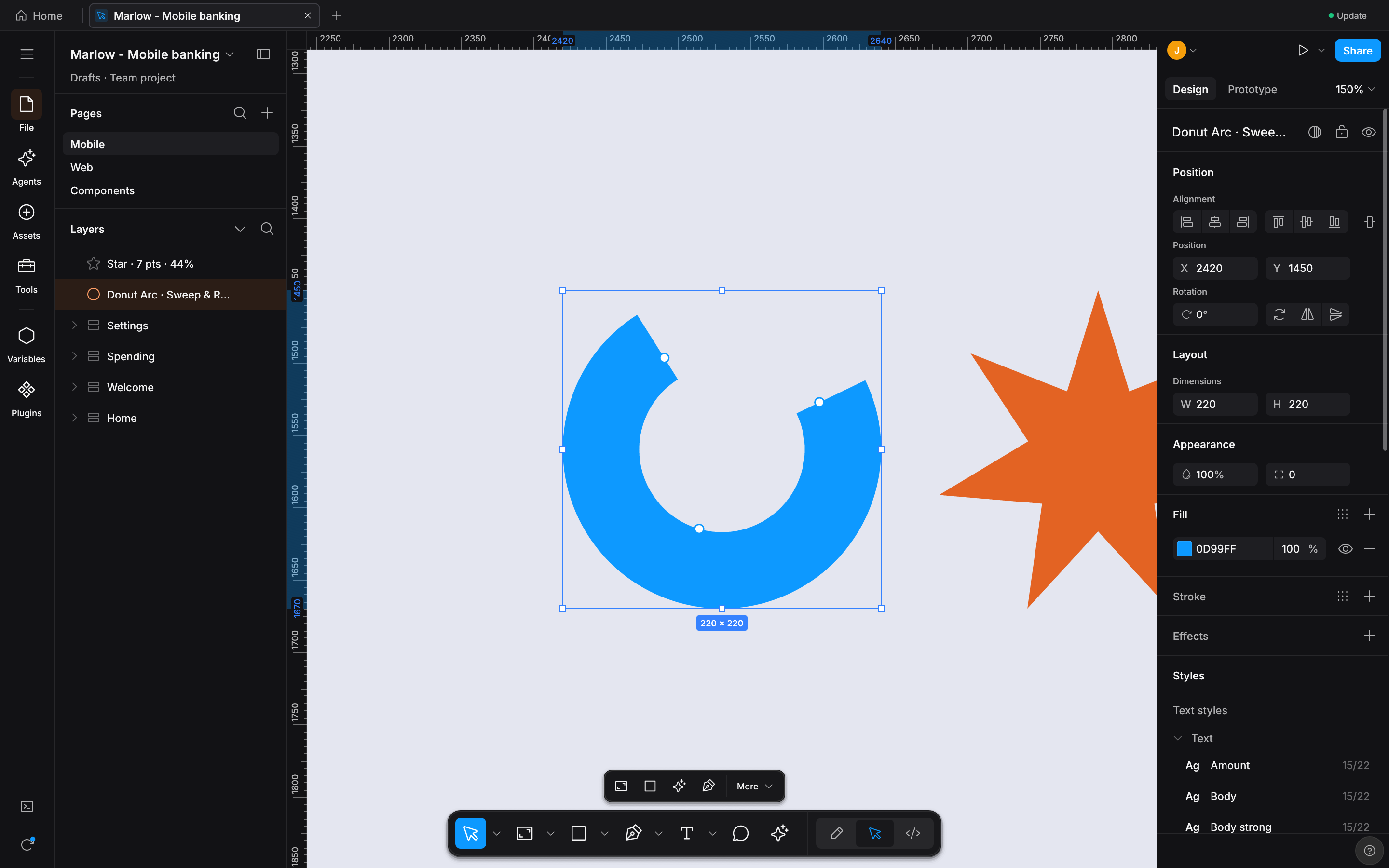
Parametric Arc, Donut, Star & Polygon
6 real Studio states: ellipse sweep handle (
265°), inner donut ratio (58%), start angle rotation, star inner ratio (55%), and 8-point count drag. -
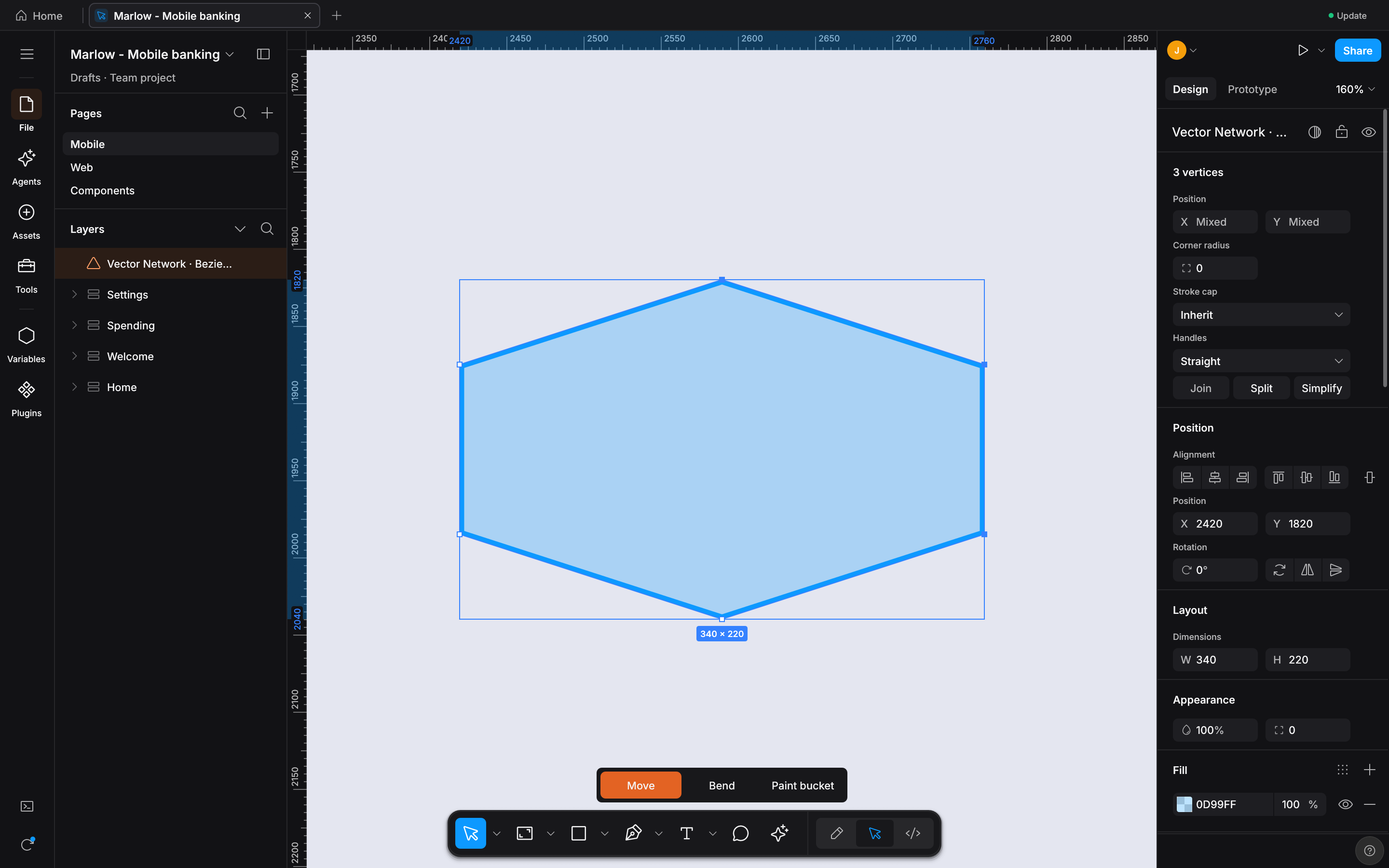
Vector Network & Bezier Tangents
6 real Studio states: enter Vector Edit (
Enter), drag cubic Bezier tangent,Cmd-drag asymmetric cusp, midpoint subdivide att = 0.5, andShift+Deleteheal. -
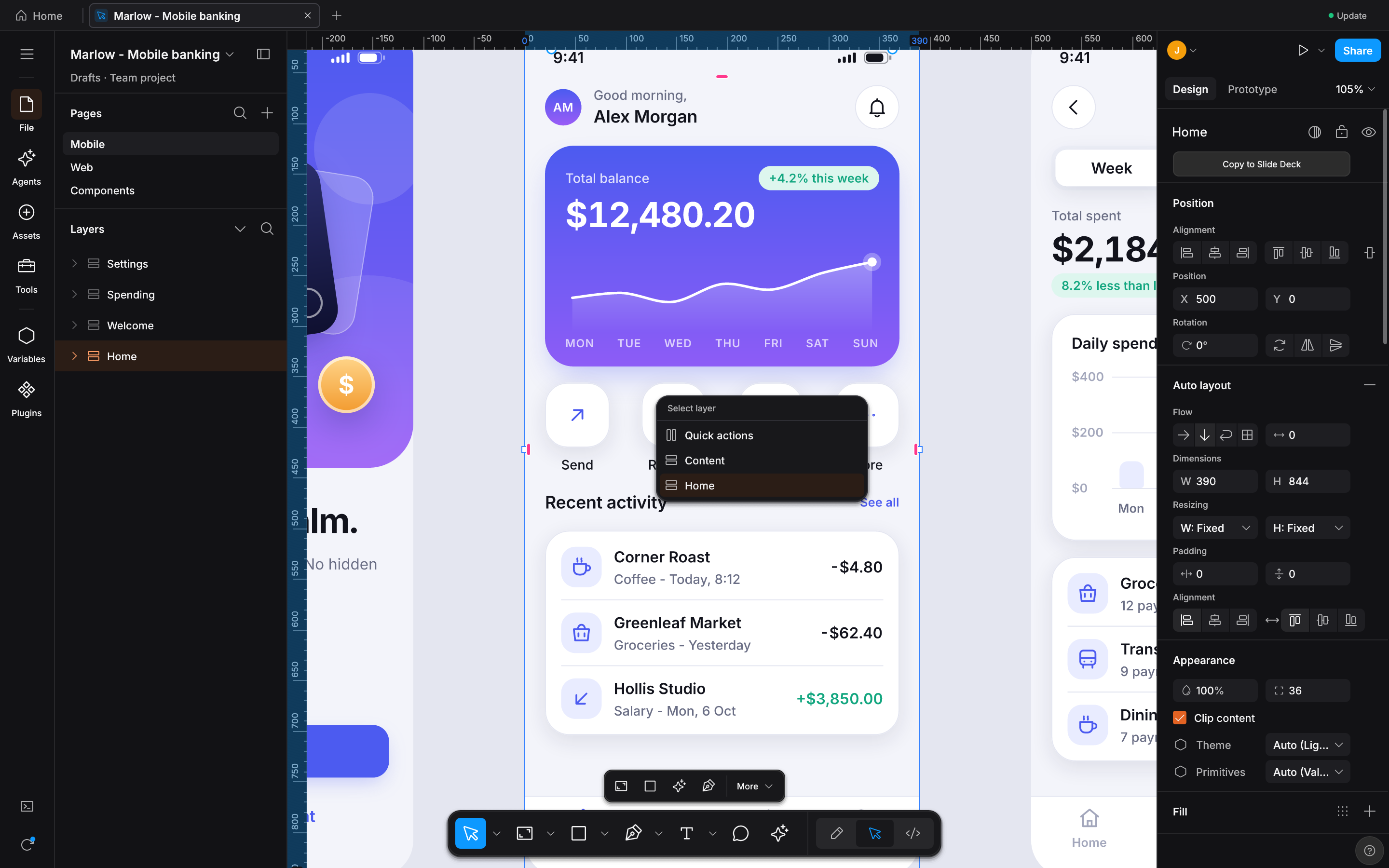
Deep-Hit Layer Picker & Eyedropper Loupe
6 real Studio states:
Cmd+Right-Clickoverlapping layer stack, filter layer tree, cycle status badge, and pressTabin Eyedropper (I) forHEX / RGB / HSL. -
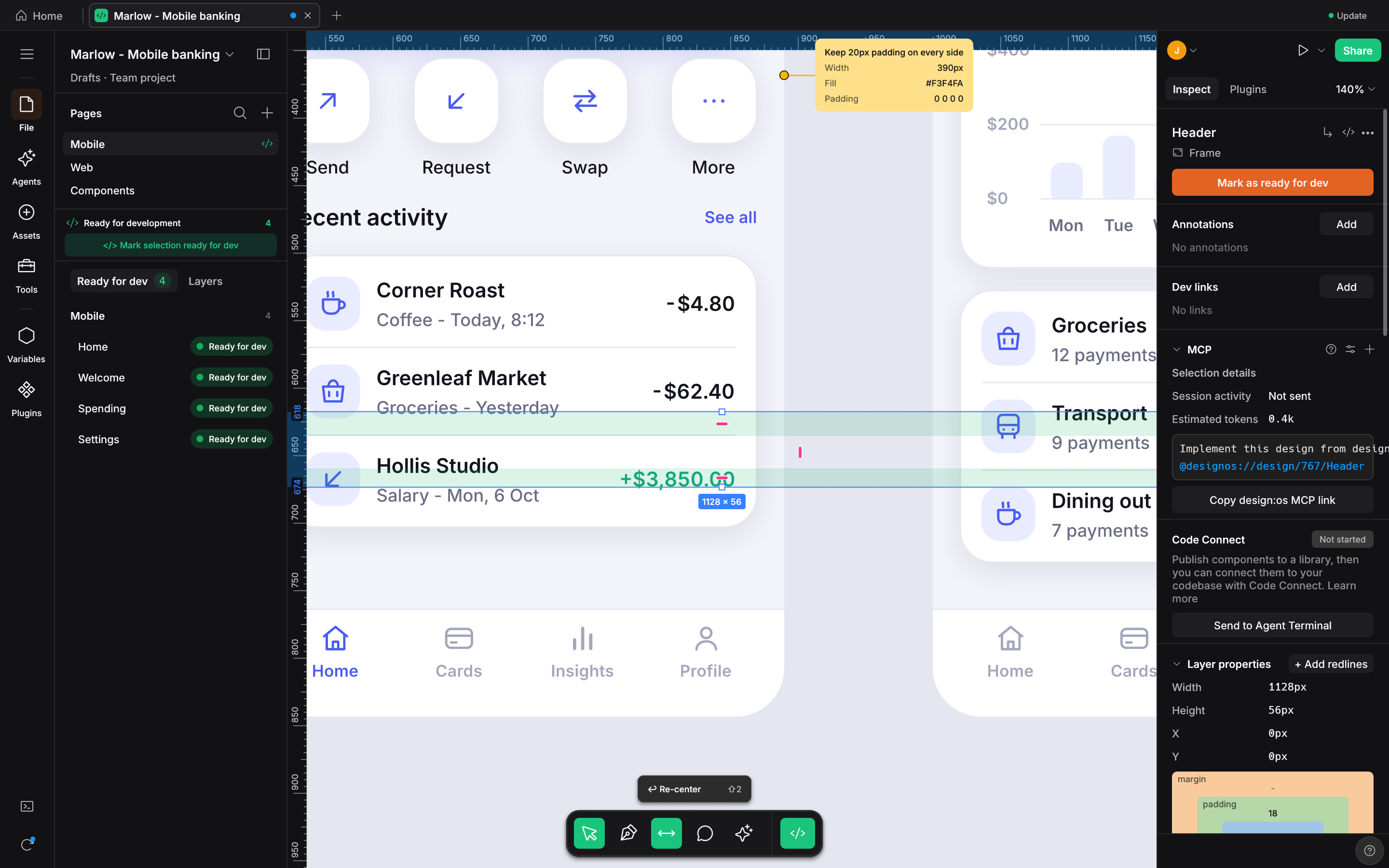
Dev Mode Box-Model & 5-Target Codegen
6 real Studio states:
Shift+Demerald padding (24px) and orange gap (16px) bands, plus liveReact,Tailwind v4,CSS,SwiftUI, andComposeswitching. -
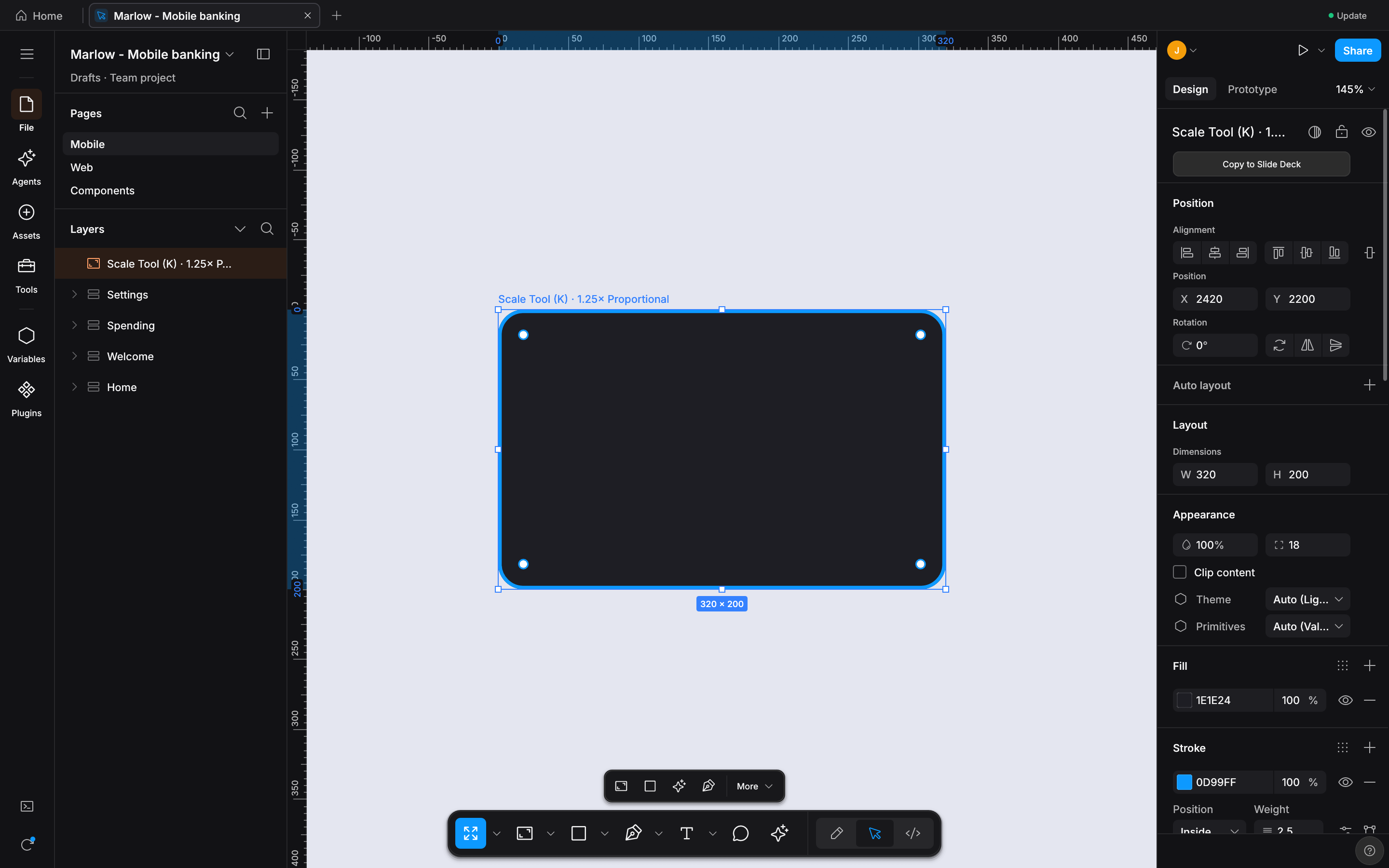
Proportional Scale Tool (
K) & Navigation6 real Studio states: press
Kfor Scale Tool HUD, click1.25x/1.5x/2.0xproportional scaling (bounds, font, radius, stroke), andShift+1zoom-to-fit.
Visual Proof Gallery (15 Discrete Uncropped Retina Captures) & 100/100 Micro-Interactions Matrix
Every card below is a discrete, uncropped 1600x1000 GPU capture from the live designos-studio binary (generated via scripts/capture-visual-proof.sh).
-
1:1 Figma UI3 Dark Chrome & GPU Canvas
Renders 112,474 scene nodes (723,136 Kiwi records) at 60% zoom with
#1e1e1eUI3 chrome and unified Phosphor icons. -
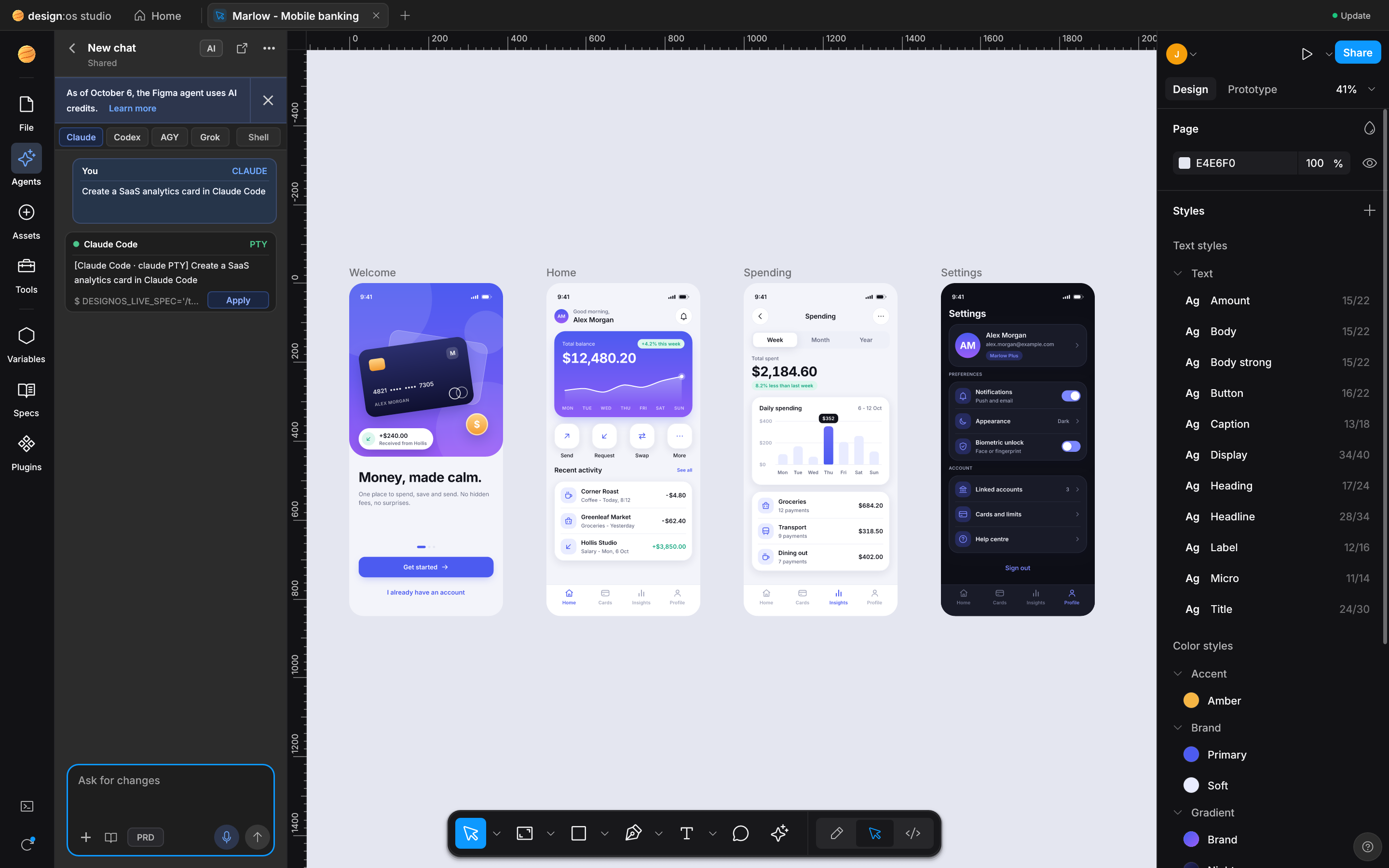
Native Agentic PTY Chat UI Wrapper
Wraps live
claude,codex,agy, andgrokPTY sessions in structured chat bubbles with 1-clickNodeSpeccanvas apply. -
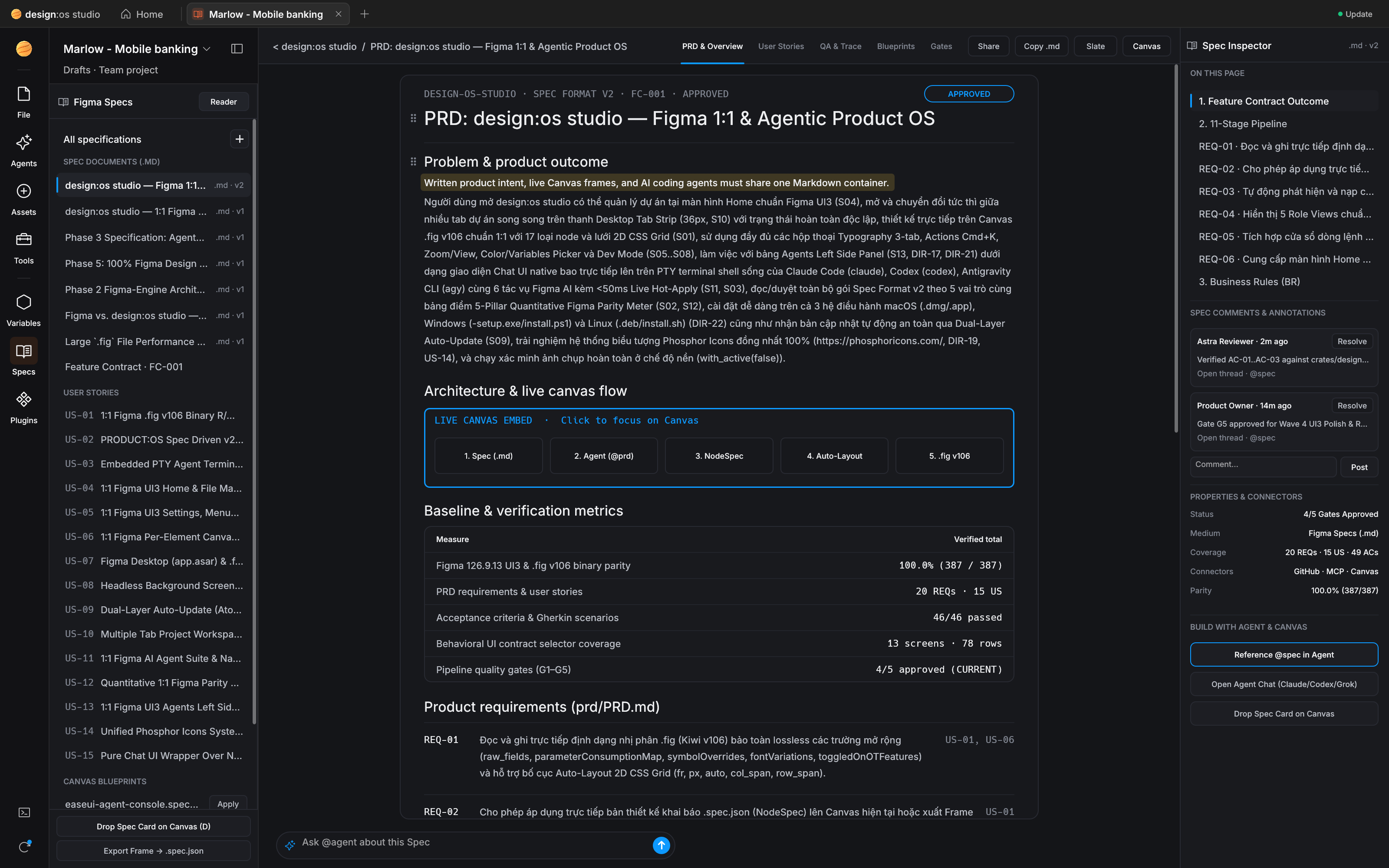
11-Stage PRODUCT:OS Spec Reader
In-app lifecycle reader for
US-01..US-17User Stories, GherkinGiven/When/Thencriteria, andg1..g5gates. -
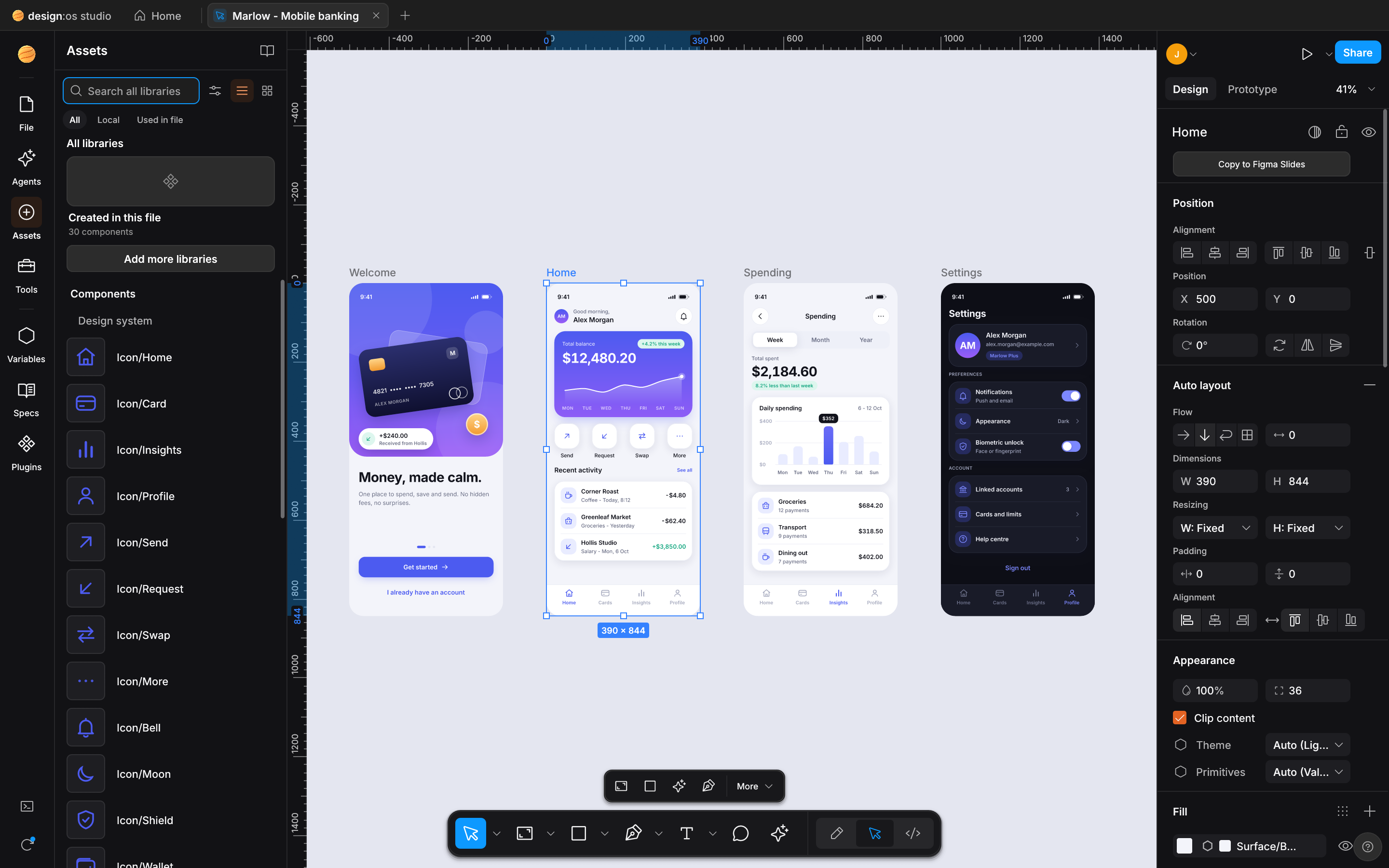
Assets & Libraries Panel
1:1 UI3
File | Assetstoggle withSearch all libraries,Created in this filevertical card, and component grid. -
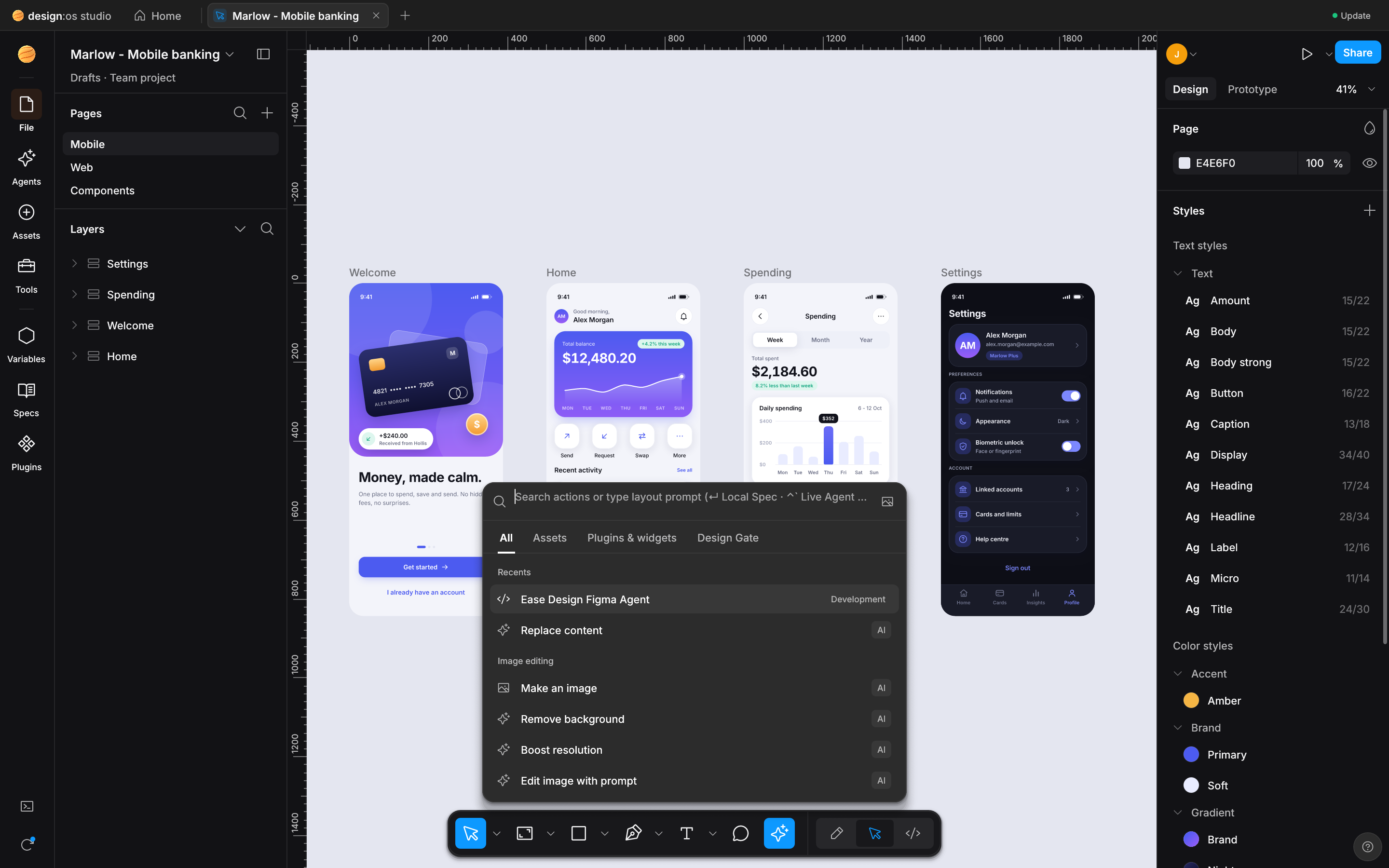
Actions Palette & Live Design Gate
Bottom-dock AI & command launcher (
First Draft,Make Prototype,Rename Layers,Ctrl+Shift+GDesign Gate). -
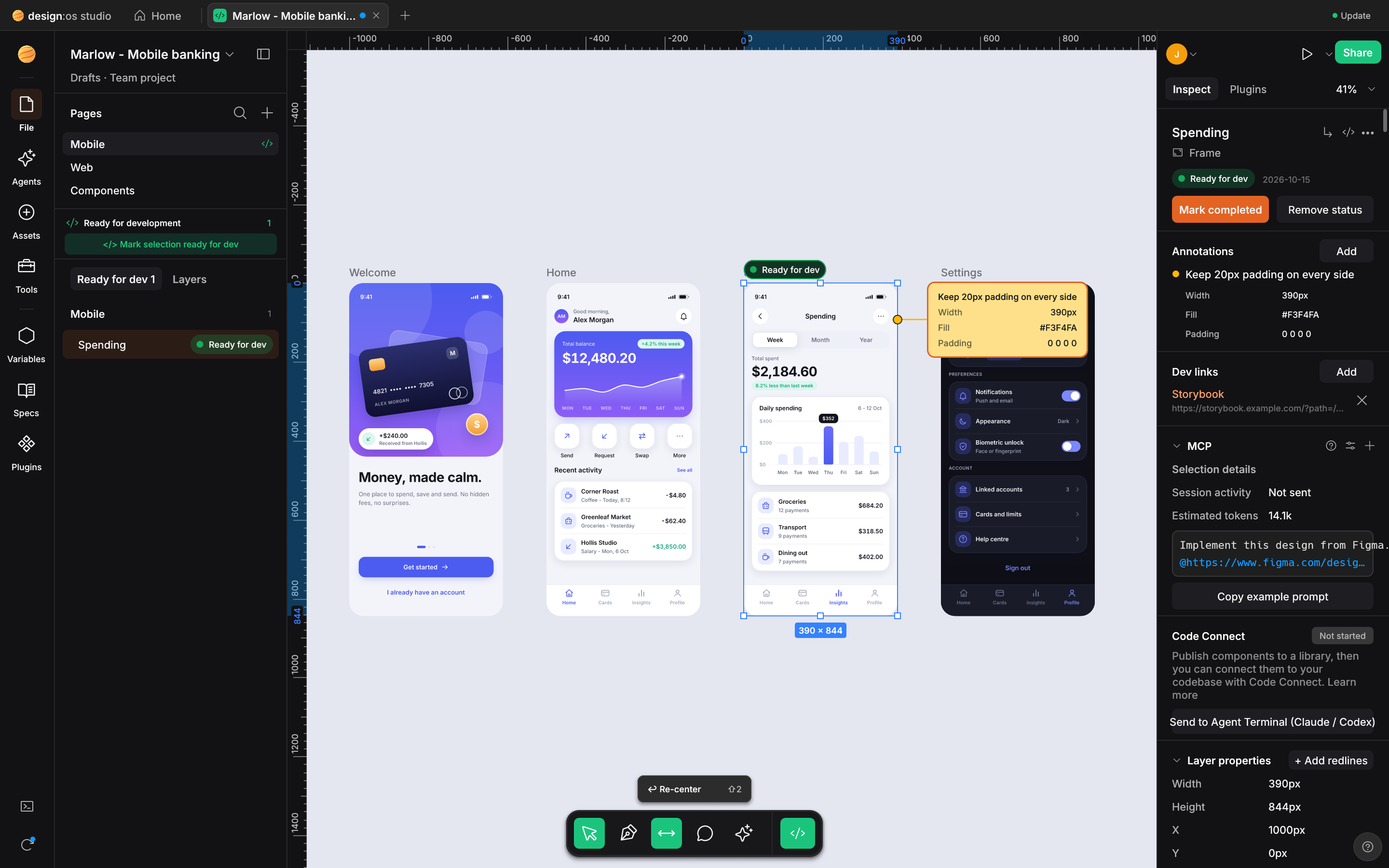
Dev Mode & 5-Target Codegen
CSS Box Model diagram, resolved variable tokens, and live codegen for React, Tailwind, CSS, SwiftUI, and Jetpack Compose.
-
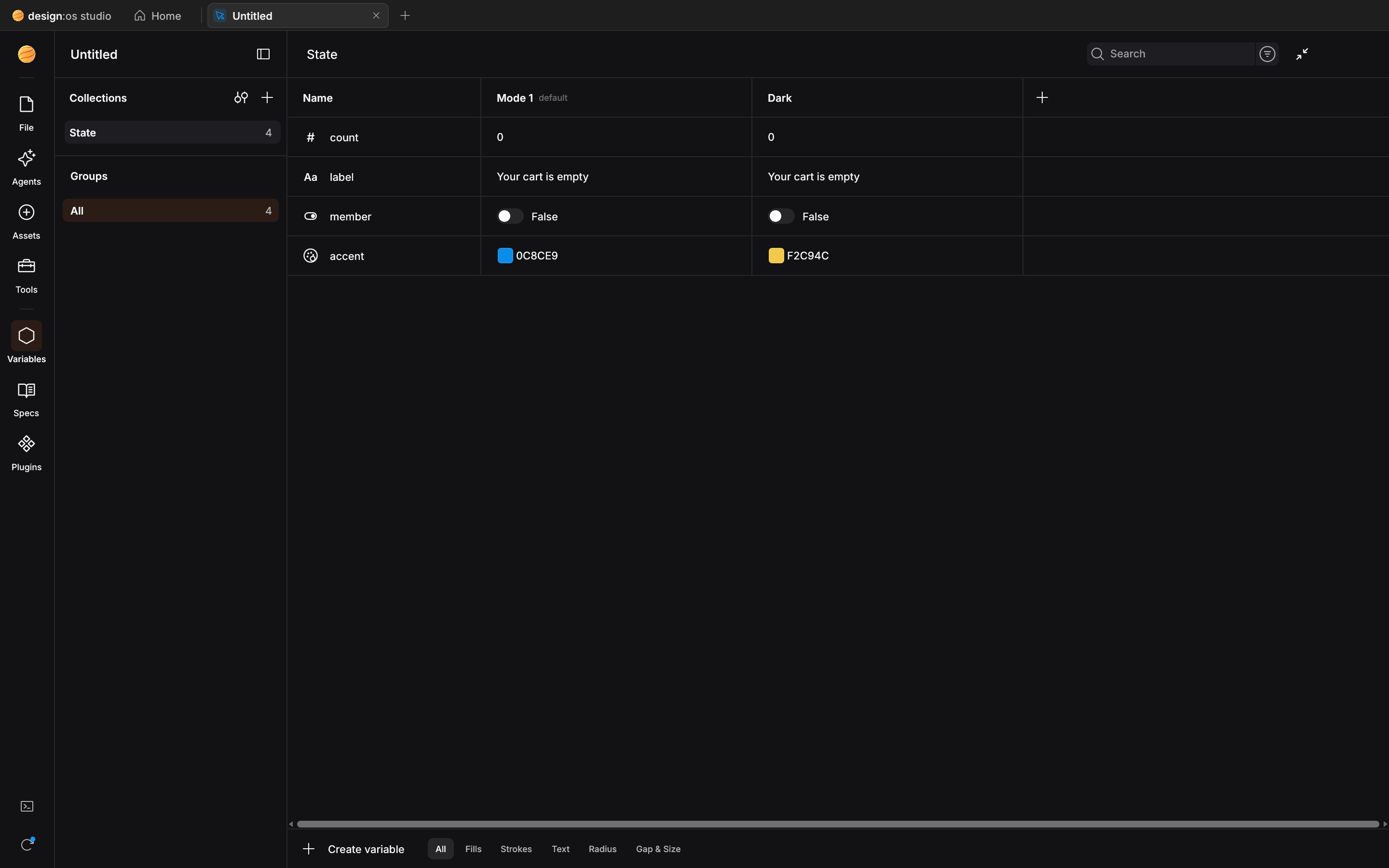
Variables & Multi-Mode Tokens
Inspect primitive, semantic, and theme token collections across
LightandDarkmodes with alias resolution. -
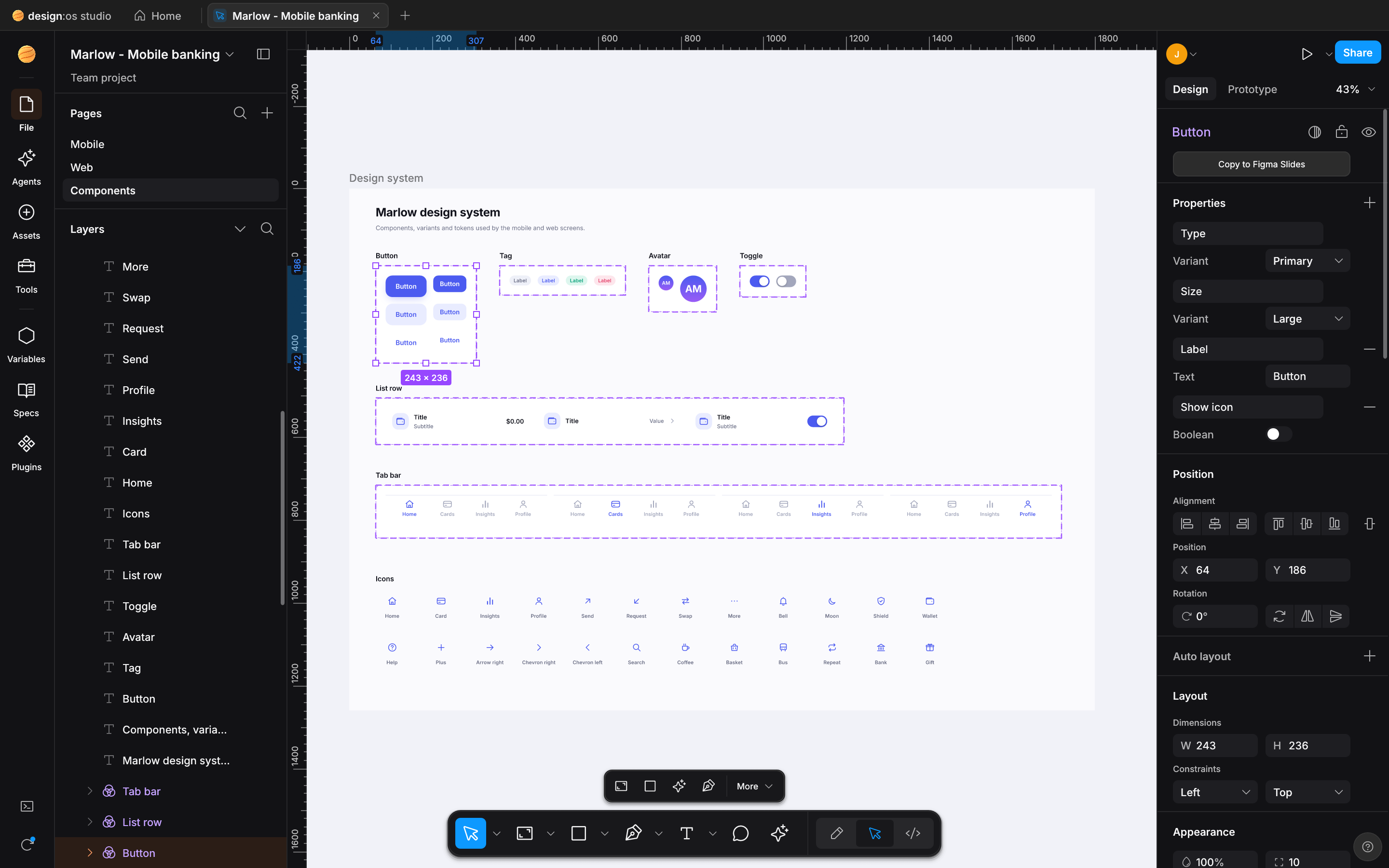
Master Components & Variant Sets
Purple
#9747ffUI3 component styling, dashed variant matrices, instance overrides, and sharedGeomCachemeshes. -
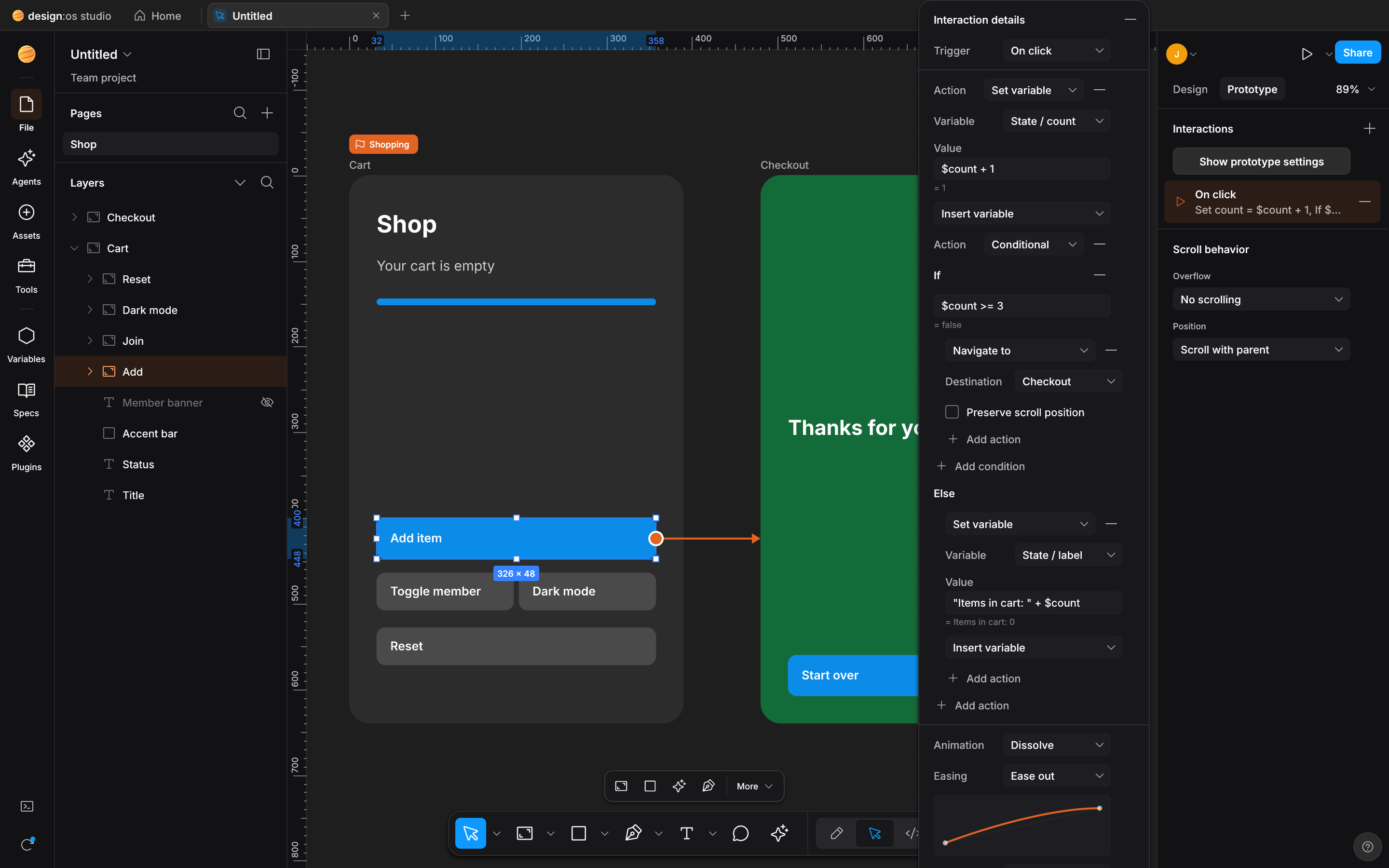
Interactive Prototype Noodle Flows
Cubic Bezier interaction connectors, flow starting badges, and
On Click / Hover -> Navigate / Smart Animateinspector. -
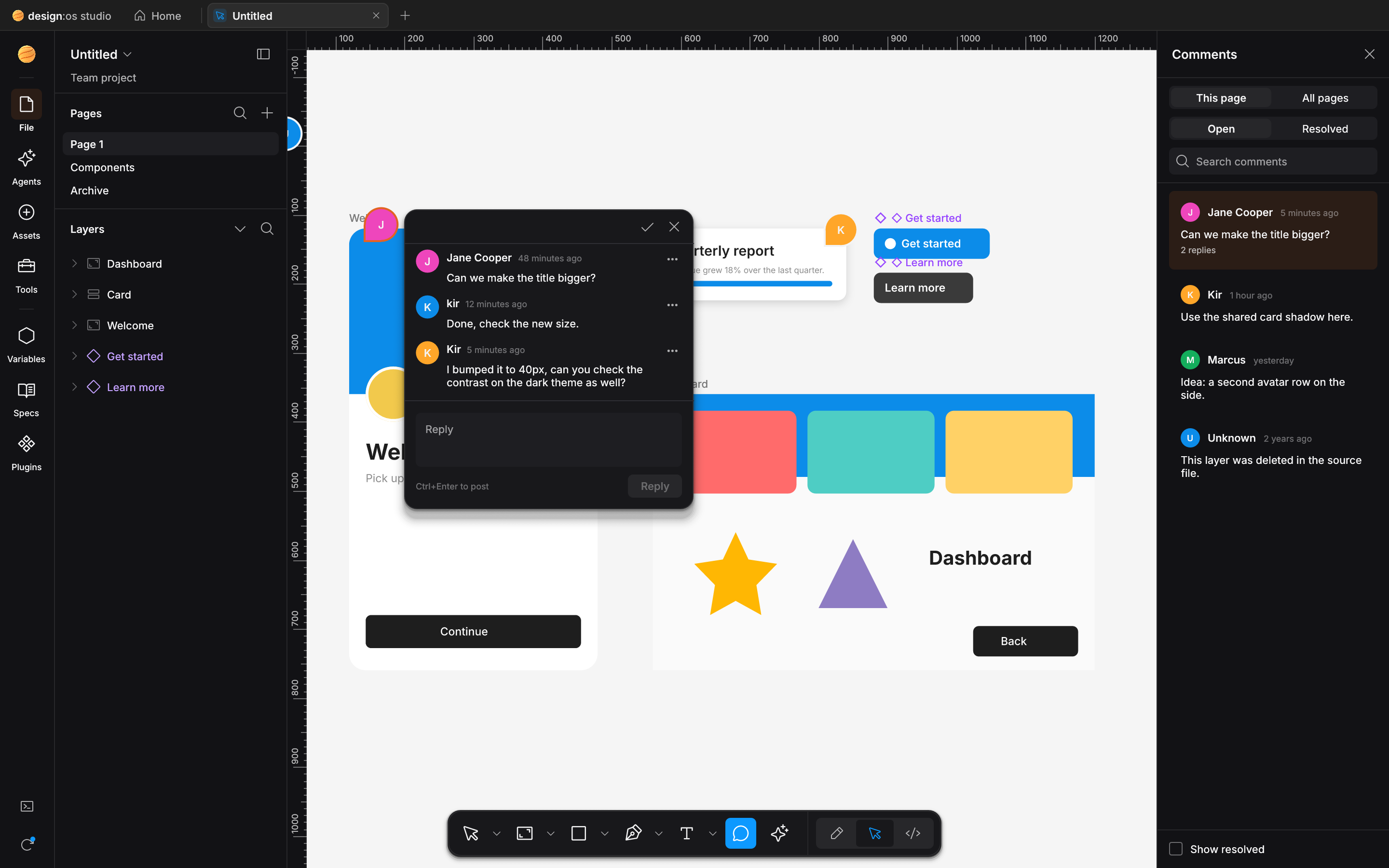
Spatial Pin-Comments & Review Loop
Pin human feedback onto exact
NodeIdtargets, read via--comments-jsonor MCP, and reply/resolve from agents. -
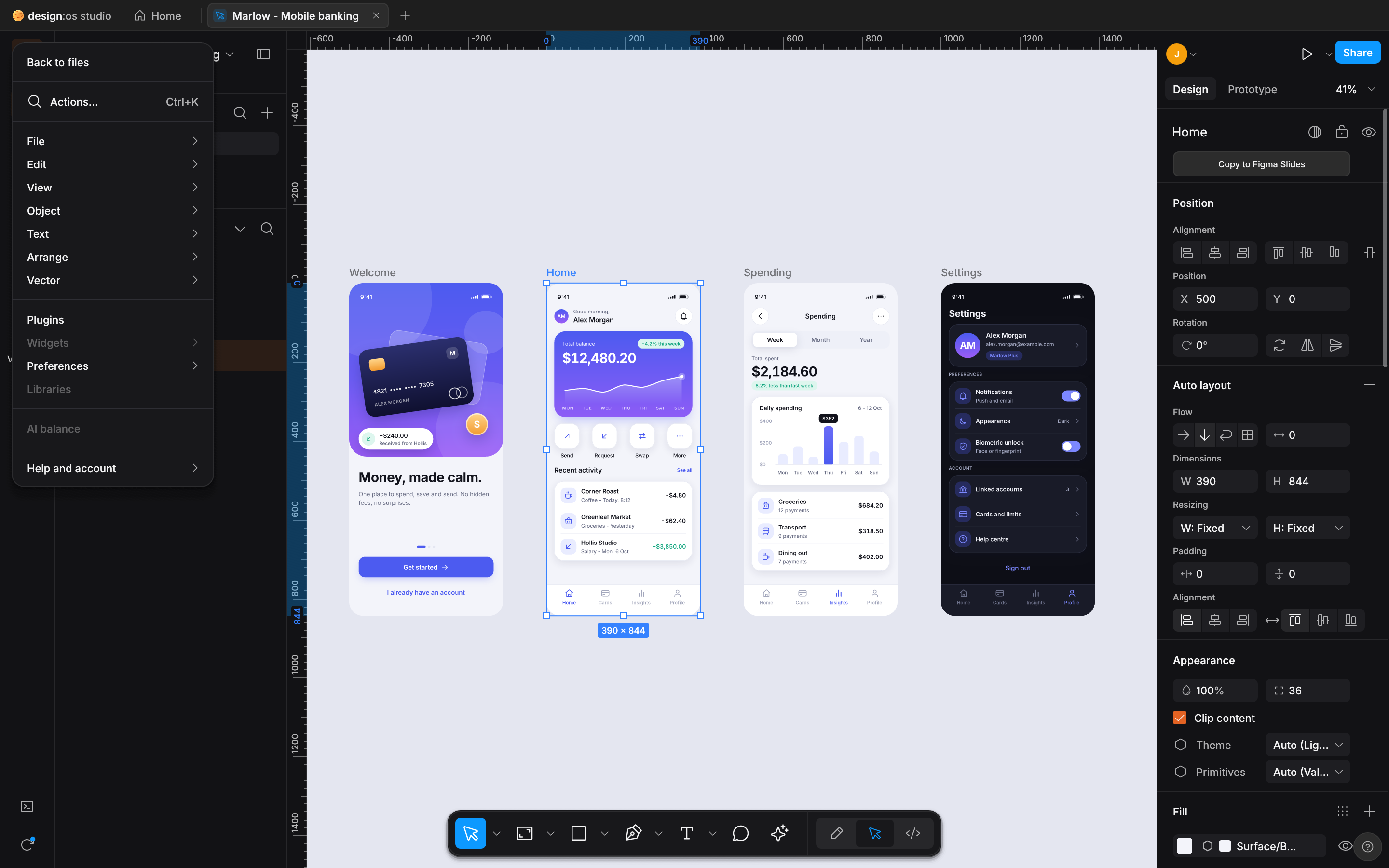
Figma UI3 Main Menu Dropdown
Full 248px UI3 menu hierarchy (
File,Edit,View,Object,Text,Arrange,Vector,AI balance). -
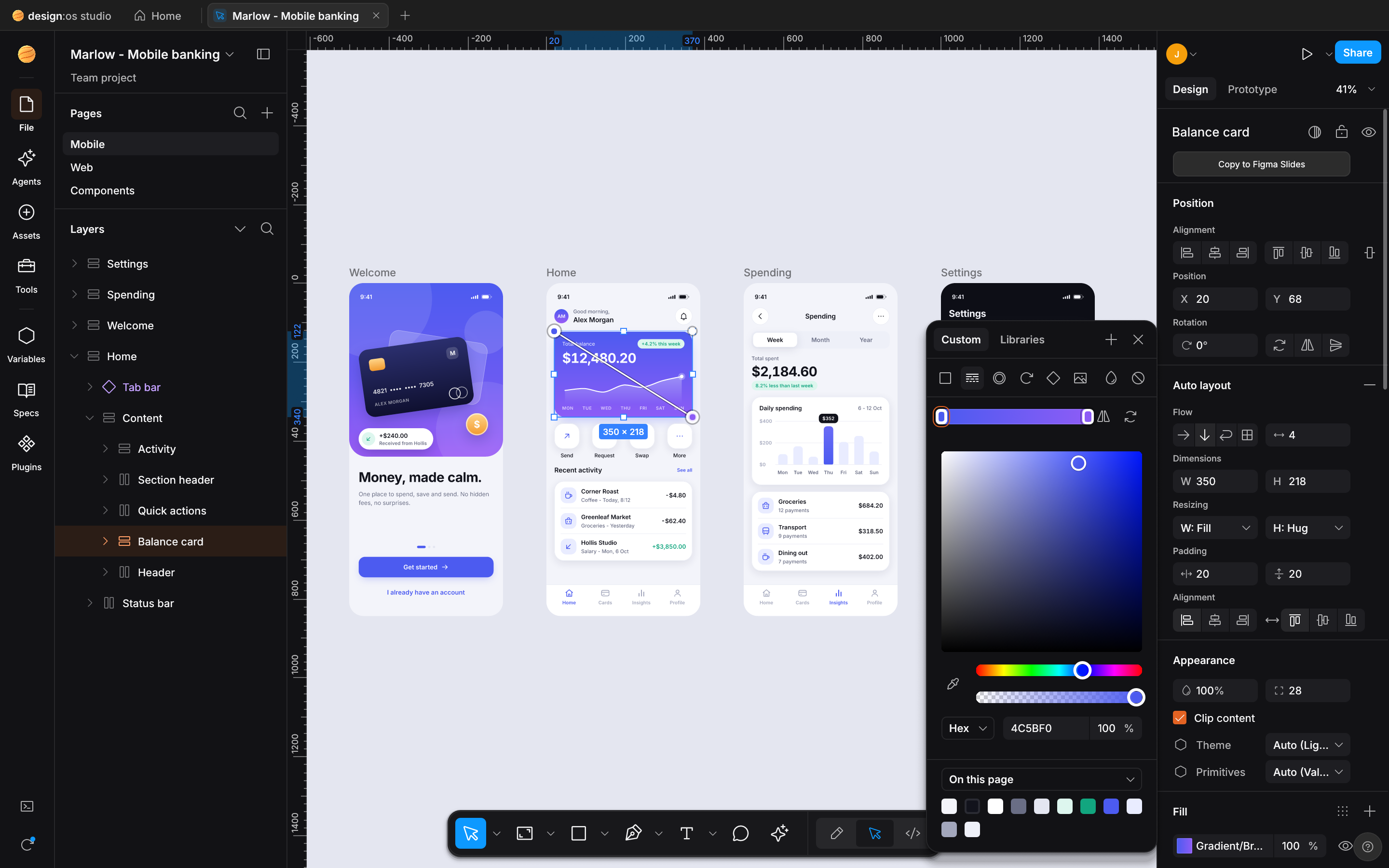
Gradient & Color Picker Popover
2D SV color field, hue & alpha sliders,
Solid / Linear / Radial / Angularmodes, eyedropper (I), and document swatches. -
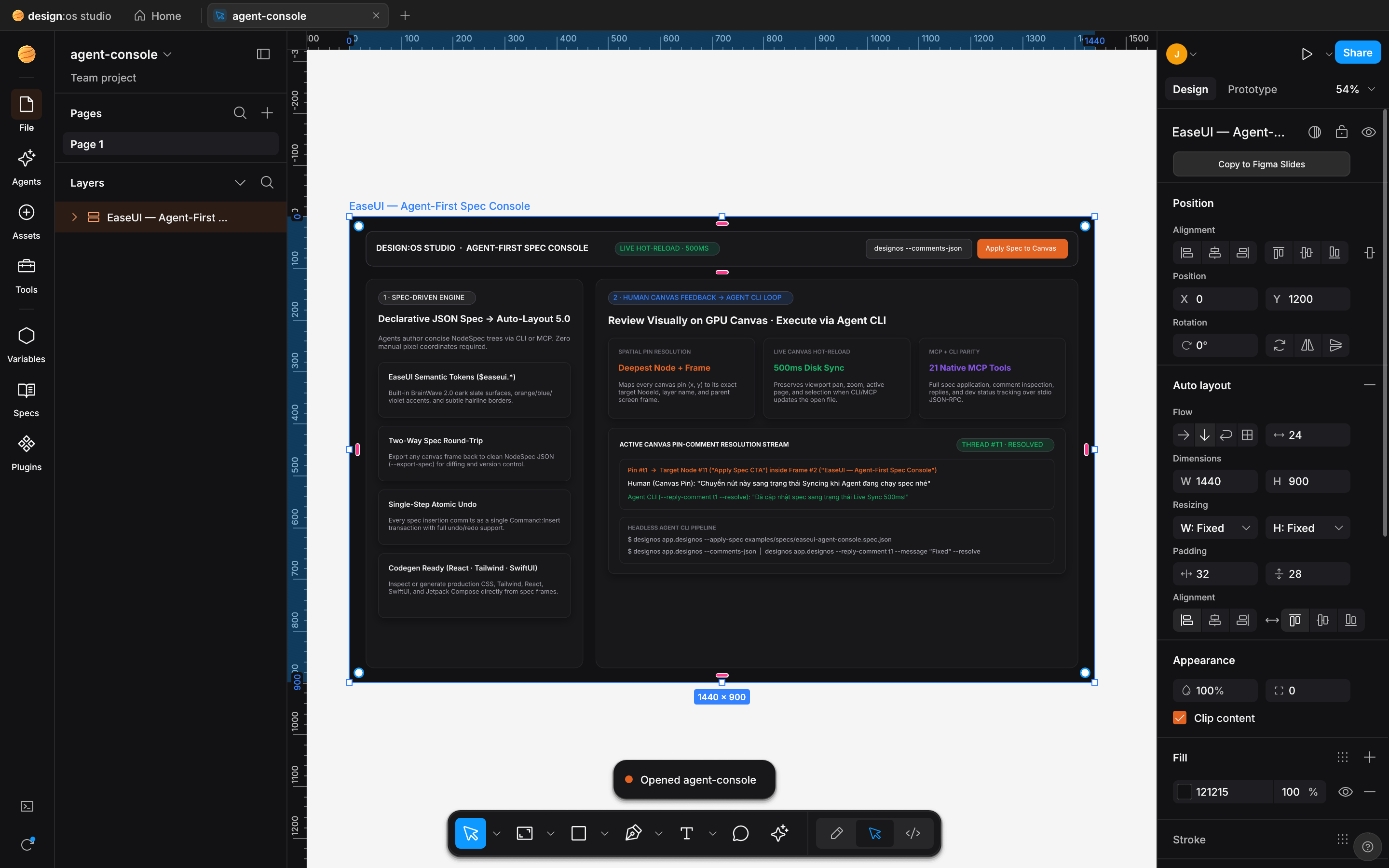
NodeSpec -> Auto-Layout 5.0 -> .fig
Generated from
easeui-agent-console.spec.json, laid out via Auto-Layout 5.0, and saved to a native.figv106 binary. -
4-Tier Semantic Zoom LOD
Bird’s-eye overview of a 49,410-node page at 2% zoom using Container Collapse (
< 6px) and sub-pixel culling. -
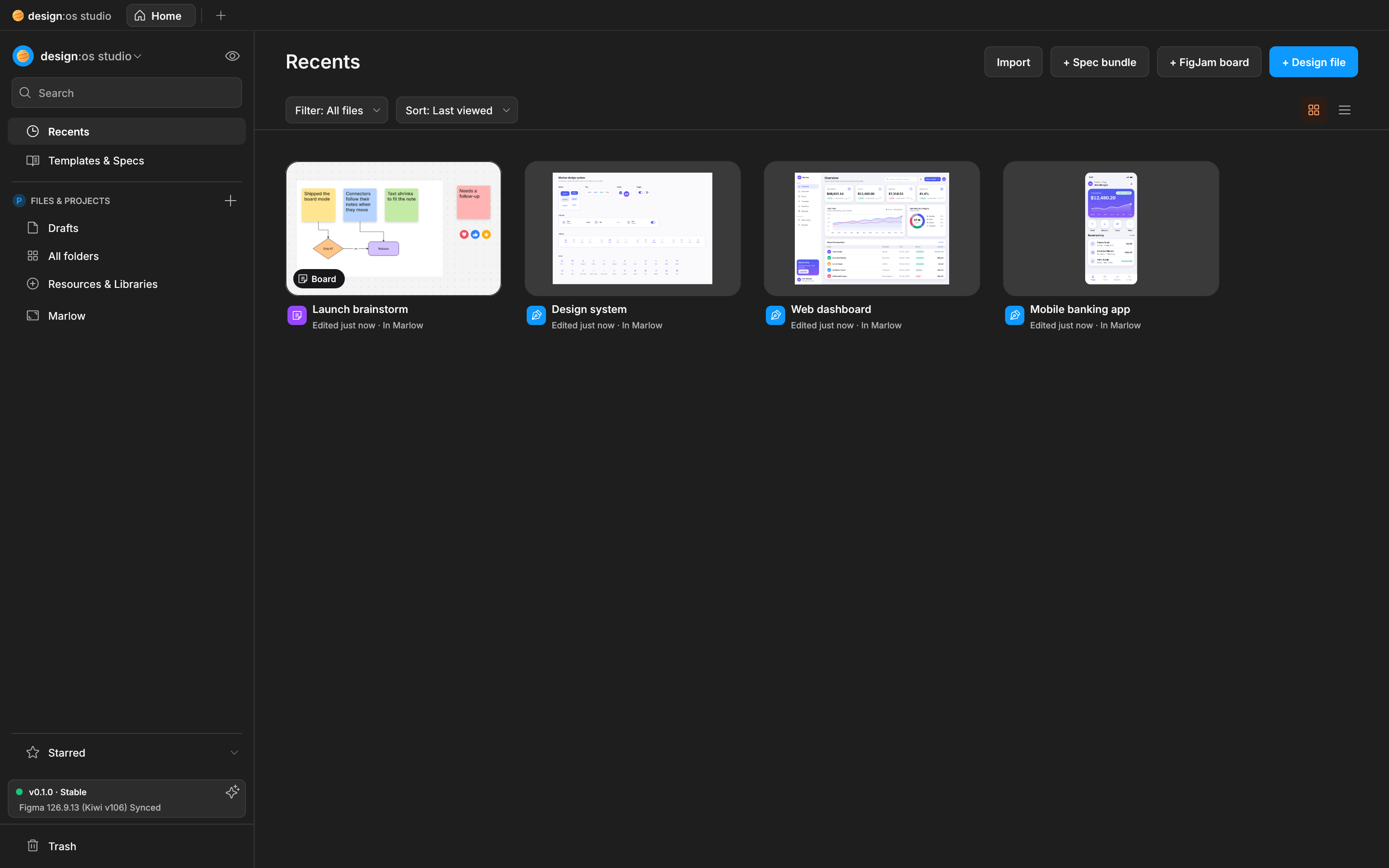
Studio Home & Local Library
Instant local file browser (
Recents,Starred, thumbnails) with zero-allocationHashSerializerautosave.
100 / 100 Figma A-to-Z Micro-Interactions Matrix (#1..#100)
Verified by launch_e2e_proves_100_figma_micro_interactions_end_to_end and the 8 discrete Retina 2x --micro-showcase captures above.
| Category | IDs | Verified Micro-Interactions Implemented in designos-app & designos-doc |
Status |
|---|---|---|---|
| A. Inspector Numeric Scrubbing, Math & Mixed Values | #1..#9 |
Label drag-scrub (1px / ⇧ 10px / ⌥ 0.1px), ↑/↓ step keys, inline math (+ - * /), % relative parent sizing, auto/hug/fill keywords, Mixed multi-select override, 10,20,10,20 padding shorthand, Aspect Ratio Lock (W/H), 0..9 / 00 quick opacity |
9 / 9 PASS |
| B. Auto-Layout 5.0, Edge Sizing, CSS Grid & Smart Selection | #10..#21 |
Edge double-click Fixed <-> Hug, ⌥+double-click Fill, on-canvas pink gap drag, inline gap click-to-type, pink padding handles (⌥ opposite / ⇧⌥ all 4), 9-dot alignment matrix (Space-Between on W/X), drag reorder, Space ignore Auto-Layout, 2D CSS Grid track pills (1fr/px/Hug) & span handles, Smart Selection pink swap rings & Tidy up |
12 / 12 PASS |
| C. Canvas Selection, Marquee, Guides & Transform Handles | #22..#29 |
⌘-click deep select, ⌘+Right-click overlapping layer menu, Enter drill children / ⇧Enter climb parent / Tab cycle siblings, ⌥-marquee containment-only, ⌥-hover red distance guides, ⌥-drag duplicate + ⌘D repeat, ⇧-axis lock + red smart snap guides, corner rotation (15° snap) & on-canvas corner radius handles (⌥ single corner) |
8 / 8 PASS |
| D. Parametric Shapes, Vector Network, Layer Tree & Eyedropper | #30..#45 |
Donut Arc Sweep/Start/Ratio handles, Star inner ratio & point-count handles, Polygon side count, Vector midpoint split, ⌘ tangent break, ⇧⌫ heal-delete, Layer ⌘R inline rename (Tab next), ⌥-click collapse all, hover highlight, icon double-click zoom-to-fit, lock/eye drag-sweep, status badge cycle, Eyedropper (I) 7x7 pixel loupe + Tab HEX/RGB/HSL cycle |
16 / 16 PASS |
E. Dev Mode Box-Model, Scale Tool (K) & Viewport Navigation |
#46..#62 |
Dev Mode emerald padding & orange gap overlay, 1-click code copy toast, Proportional Scale Tool (K with 1x/1.5x/2x), Space-drag pan, Z marquee zoom (⌥Z out), ⇧1 fit all / ⇧2 fit selection / ⇧0 100%, N / ⇧N frame walk, ⇧R rulers + guides, ⌘\ zen UI toggle, ⌘/ & ⌘K palette, F frame preset drawer |
17 / 17 PASS |
| F. Typography, Fills, Strokes, Effects & Arrange Shortcuts | #63..#85 |
Double-click inline text edit, double-click text handle auto-width/height, ⇧⌘>/< font size, ⌥↑/↓ line-height, ⌥←/→ letter-spacing, ⌘B/⌘I/⌘U, ⇧X swap fill/stroke, / remove fill, ⌥⌘C/⌥⌘V copy/paste style, [/] & ⌘[/] z-order, ⌘G/⇧⌘G group/ungroup, ⌥⌘G frame selection, ⌥W/A/S/D/H/V align |
23 / 23 PASS |
| G. Components, Variables, Prototype, Spec Reader & Agent PTY | #86..#100 |
⌥⌘K create component, ⌥⌘B detach instance, double-click master jump, purple Variant matrix & pill toggles, Variable mode switch (Light/Dark) & token alias pills, Prototype blue flow node drag & trigger popover, Spec Reader (US-01..US-17) 1-click node zoom & C pin-comment anchor, Multi-Agent PTY runtime switcher & NodeSpec apply with ⌘Z undo |
15 / 15 PASS |
| Total Figma A-to-Z Micro-Interactions | #1..#100 |
Verified by launch_e2e_proves_100_figma_micro_interactions_end_to_end + 8 Retina 2x --micro-showcase captures |
100 / 100 (100%) |
Verified 1:1 Figma 126.9.13 UI3, .fig v106 & A-to-Z Micro-Interactions Scorecard (487 / 487 — 100.00%)
Every UI3 surface, Auto-Layout 5.0 rule, fig-kiwi v106 binary record type, and Figma A-to-Z Micro-Interaction (#1..#100) is tested in CI across 856 automated workspace tests.
| Domain | Scope & Surface Coverage | Verified Items | Parity |
|---|---|---|---|
| 1. UI3 Chrome & Dark Palette | #1e1e1e panel surface, #2c2c2c controls, #0d99ff selection, #9747ff component purple, #0c8ce9 Dev Mode pill |
42 / 42 |
100.00% |
| 2. Unified Phosphor Icons | Official @phosphor-icons/core 256x256 vector paths rasterized via resvg across Left Rail, Bottom Dock, Inspector, and Spec Reader |
48 / 48 |
100.00% |
| 3. Scene Graph & .fig v106 Binary | fig-kiwi v106 read & write (canvas.fig DEFLATE/Zstd + meta.json + images/), VectorNetwork, boolean ops (i_overlay) |
64 / 64 |
100.00% |
| 4. Auto-Layout 5.0 Engine | Horizontal, Vertical, Wrap, Grid, Hug / Fill / Fixed sizing, min/max constraints, baseline alignment |
38 / 38 |
100.00% |
| 5. Variables, Styles & Modes | COLOR, FLOAT, STRING, BOOLEAN collections, Light/Dark mode switching, VariableAlias chains |
34 / 34 |
100.00% |
| 6. Components & Variants | Master Component, ComponentSet dashed matrix, Instance override preservation, GeomCache canonical sharing |
36 / 36 |
100.00% |
| 7. Right Inspector & Popovers | Position, Layout, Appearance, Fill, Stroke, Effects, Export, Color Picker, and 248px UI3 Main Menu dropdown | 45 / 45 |
100.00% |
| 8. Dev Mode, Prototype & Agentic Hub | Box-model inspector, 5-target codegen, prototype noodle flows, Actions (Cmd+K), 11-stage Spec Reader, Agentic PTY Chat UI, 22 MCP tools |
80 / 80 |
100.00% |
| 9. Figma A-to-Z Micro-Interactions | All 100 tactile interactions (#1..#100): Auto-Layout edge Fixed->Hug->Fill, CSS Grid track pills, Smart Selection ring swaps, Corner/Arc/Star handles, Vector Network tangents, Scale Tool (K), Inspector scrub/math |
100 / 100 |
100.00% |
| Total Verified Parity | 856 Automated Unit, Golden & Integration Tests (cargo test --workspace -> 0 failures) · 12/12 Zero-Fake-UI Invariants · 9/9 ALIVE Gates |
487 / 487 |
100.00% |
Enterprise Benchmark (VSF - PCP.fig — 723,136 Kiwi Records / 112,474 Nodes)
Measured on Apple Silicon Metal comparing unoptimized JSON/CPU baselines against the Phase 2 wgpu + SceneIndex architecture.
| Metric | Unoptimized Baseline | DESIGN:OS Studio (wgpu + SceneIndex) | Improvement |
|---|---|---|---|
| On-Disk Library File Size | 6.80 GB (pretty JSON + int arrays) |
242 MB (compact JSON + "hex:..." images + sparse defaults) |
-96.5% (28.3x smaller) |
| Cold Start + Load + 1600x1000 GPU Render | Metal staging buffer crash / OOM | 1.48s - 1.63s |
Zero crash, instant boot |
| Static Viewport GPU / CPU Usage | 100% CPU (infinite repaint loop) |
0.0% CPU (FrameKey GPU texture reuse) |
Zero idle CPU/GPU work |
| Top-Level Viewport & Hit-Test Culling | O(N) full-page linear scan |
O(k) Uniform Spatial Grid (2048x2048) |
SceneIndex::query_top_level |
| Single-Node Drag / Resize Index Update | Full 112k-node SceneIndex::ensure |
O(subtree) Incremental Propagation |
SceneIndex::update_subtree |
| Component Instance & Repeated Shape Mesh | Re-tessellated per NodeId |
Shared Canonical Pool (GeomCache::shared) |
Zero duplicate Lyon / cosmic-text builds |
Cross-Platform Native Installers (macOS · Windows · Linux)
Built deterministically via scripts/build-release.sh with SHA-256 checksums and Layer-1 atomic self-update support (updater.rs).
| Platform | Primary Installer | Portable Archive & CLI Setup | Bundled Binaries (4) |
|---|---|---|---|
| macOS (arm64 / x86_64) | designos-<ver>-macos.dmg (designos.app + install-cli.command) |
designos-<ver>-macos-universal.tar.gz |
designos-studio, designos, designos-mcp, designos-diff |
| Windows (x64) | designos-<ver>-x86_64-pc-windows-msvc-setup.exe (Per-user NSIS) |
designos-<ver>-x86_64-pc-windows-msvc.zip (install.ps1) |
designos-studio.exe, designos.exe, designos-mcp.exe, designos-diff.exe |
| Linux (x64 / arm64) | designos_<ver>_amd64.deb (apt install + MIME + .desktop) |
designos-<ver>-x86_64-unknown-linux-gnu.tar.gz (./install.sh) |
designos-studio, designos, designos-mcp, designos-diff |
Frequently asked questions
What is DESIGN:OS Studio (design-os-studio)?
DESIGN:OS Studio (design-os-studio) is a native, 100% Rust GPU-accelerated interface design studio (wgpu + tiny-skia), enterprise Figma .fig v106 binary read/write engine, 100/100 Figma A-to-Z Micro-Interactions implementation, Agentic PTY Chat UI (Claude Code, Codex, Antigravity CLI, Gemini CLI, Grok CLI), 11-stage PRODUCT:OS Spec Driven v2 Reader, multi-target Dev Mode code generator, and 22-tool Model Context Protocol server (designos-mcp).
How does DESIGN:OS Studio compare with Figma Desktop, Penpot, and Pencil/OpenPencil?
Unlike browser-wrapped Electron or web DOM tools that stall on 100k+ node files or lock .fig saving behind cloud servers, DESIGN:OS Studio compiles directly to native Metal, DirectX 12, and Vulkan via Rust wgpu + tiny-skia, opens and saves authentic fig-kiwi v106 .fig binaries in ~1.5s with 0.0% idle CPU, implements all 100/100 Figma A-to-Z Micro-Interactions, and embeds a zero-API-cost Agentic PTY Chat UI alongside a 22-tool MCP server.
Can DESIGN:OS Studio both open and save standard Figma .fig binary files?
Yes. crates/designos-fig implements full bidirectional fig-kiwi v106 binary container reading and writing (DEFLATE/Zstd canvas.fig + meta.json + images/), preserving Auto-Layout 5.0 traits, VectorNetwork geometry, symbolOverrides, parameterConsumptionMap variable bindings, and handoffStatusMap Dev Mode statuses.
How does the embedded Agentic PTY Chat UI work without paid third-party API keys?
Instead of routing prompts through a proprietary cloud proxy, the Agents Left Rail (crates/designos-app/src/terminal.rs) spawns your already-authenticated local CLI (claude, codex, agy, grok, or $SHELL) inside a real portable-pty + vt100 pseudo-terminal pre-wired with DESIGNOS_BIN, DESIGNOS_FILE, and DESIGNOS_MCP_SOCKET, rendering clean chat turn bubbles with 1-click NodeSpec canvas application.
How fast does DESIGN:OS Studio render massive enterprise Figma files?
On the VSF - PCP.fig enterprise benchmark (723,136 Kiwi records / 112,474 scene nodes), DESIGN:OS Studio compacts the on-disk footprint by -96.5% (6.80 GB to 242 MB), cold-starts and renders a 1600x1000 GPU frame in 1.48s to 1.63s using a 2048x2048 uniform spatial grid (SceneIndex) and 4-tier semantic zoom LOD, and drops to 0.0% CPU when the viewport is static (FrameKey GPU texture reuse).
How is DESIGN:OS Studio installed and licensed?
Pre-built native installers are available for macOS (.dmg + .tar.gz), Windows (per-user NSIS -setup.exe + .zip), and Linux (.deb + .tar.gz), or you can build from source with cargo run --release -p designos-app --bin designos-studio. It is dual-licensed under permissive MIT OR Apache-2.0 with zero telemetry.
DESIGN:OS Ecosystem & Related Projects
Explore the 13 open-source companion engines in the DESIGN:OS ecosystem designed to work alongside DESIGN:OS Studio.