207,601
nodes in one file
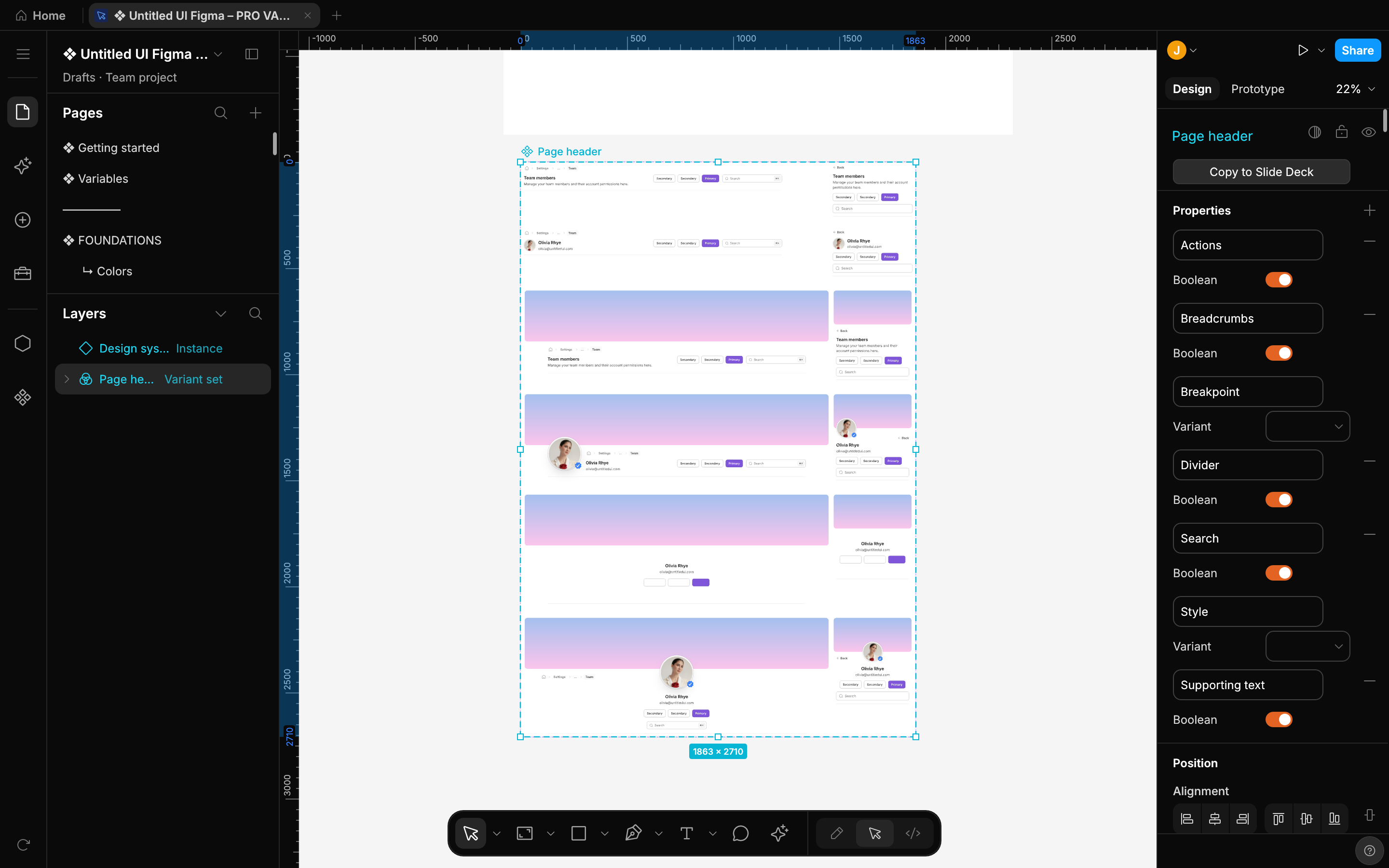
The Untitled UI PRO v8.0 Figma kit opens and renders on the GPU, across 113 pages.
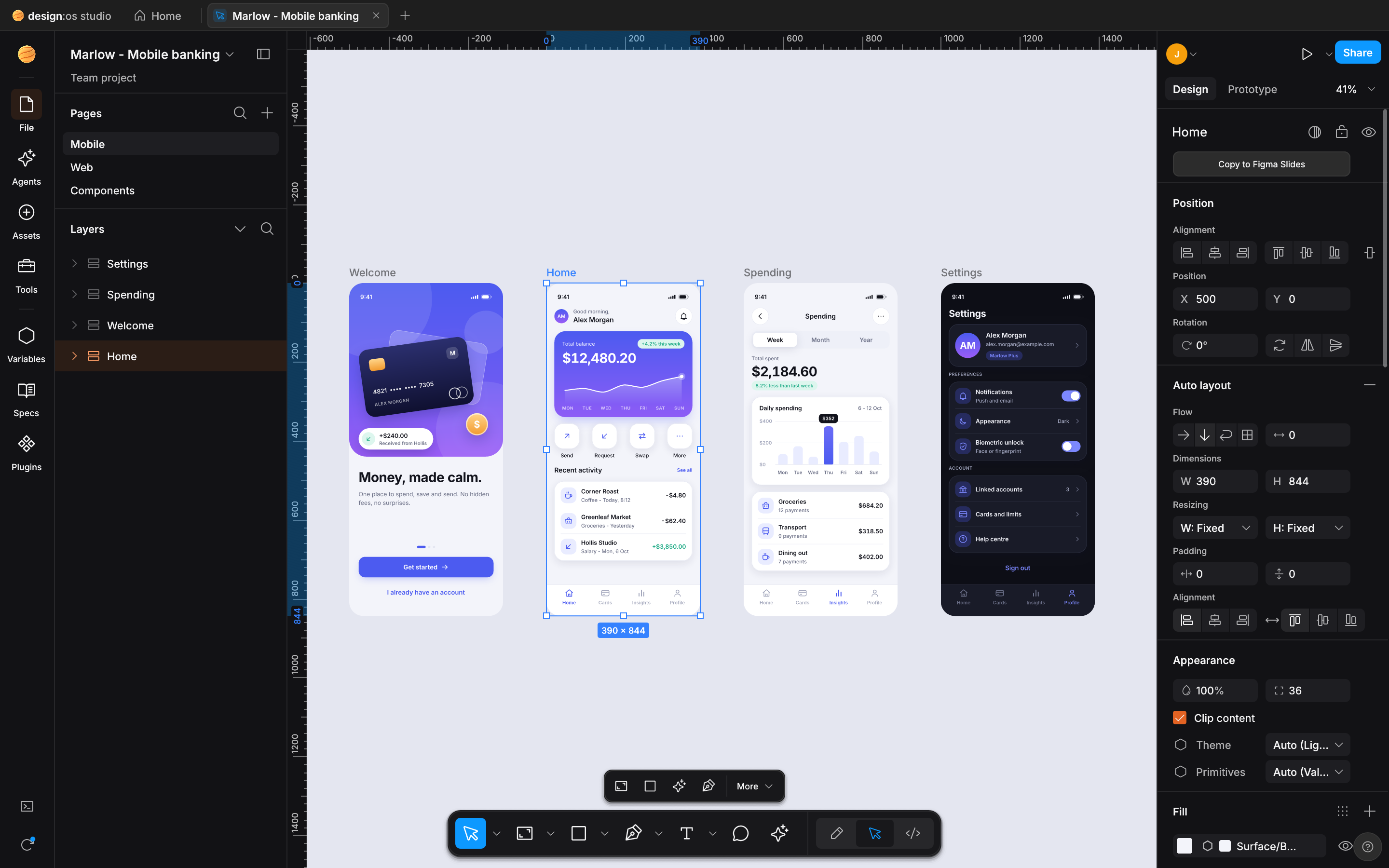
Open Figma files, paste from Figma desktop, and let a coding agent build on the same canvas.
Windows · Linux · all downloads
Each card states one fact. Its back is a real capture from Studio.
207,601
nodes in one file
The Untitled UI PRO v8.0 Figma kit opens and renders on the GPU, across 113 pages.
36
MCP tools
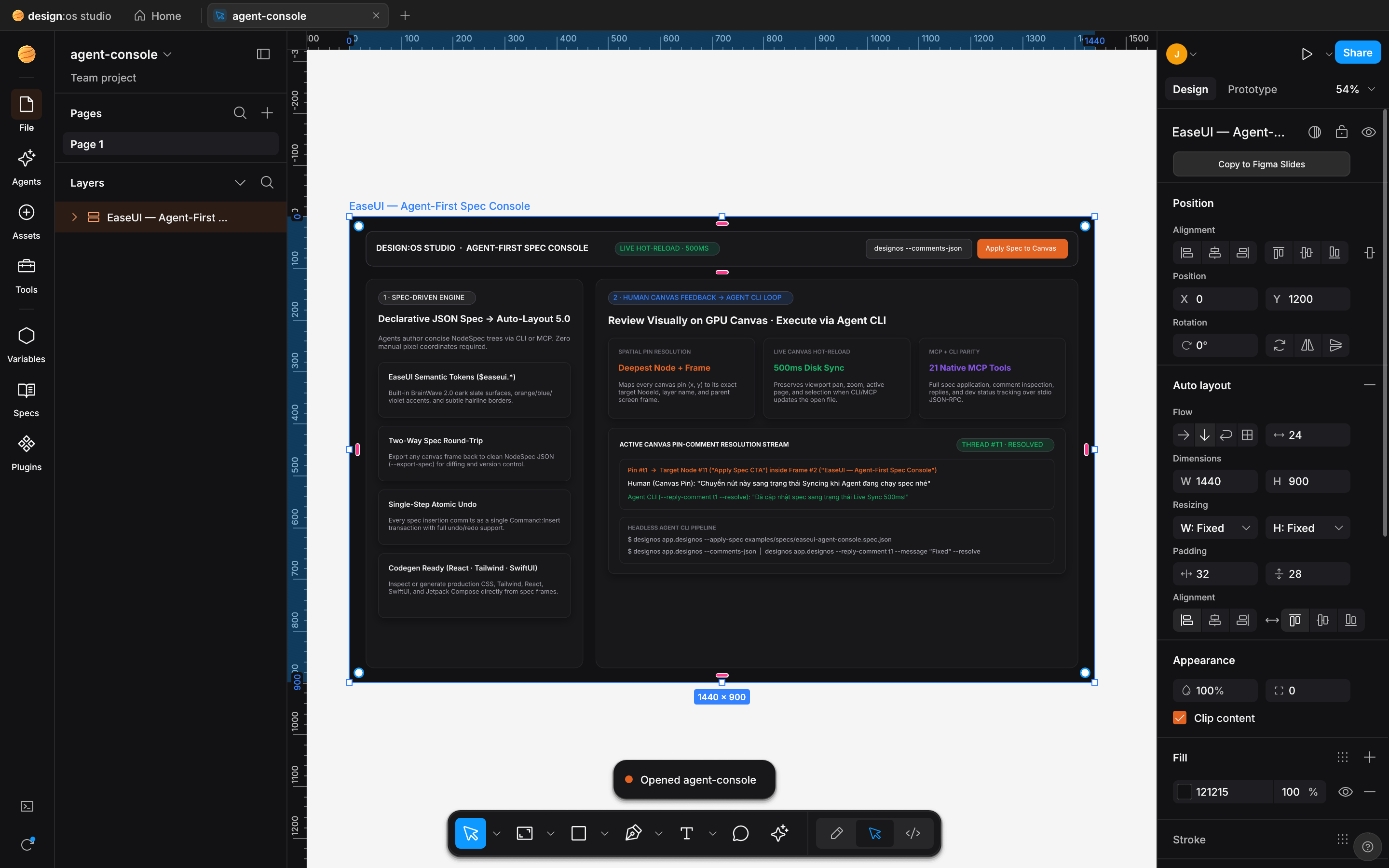
Coding agents edit the document you have open through designos-mcp. Built-in presets: Claude Code, Codex, Grok, Antigravity and Gemini CLI.
8
code targets
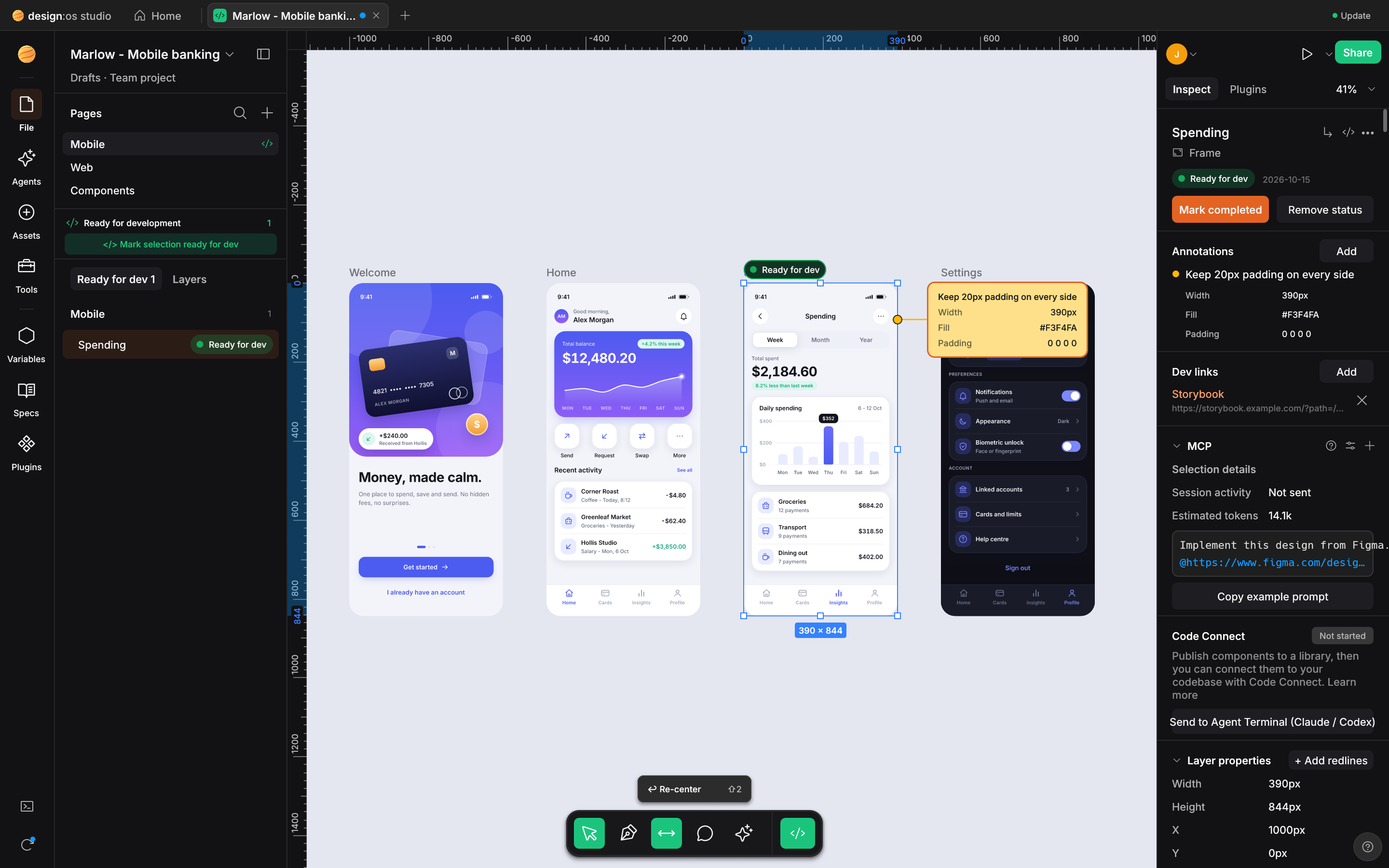
Dev Mode prints CSS, Tailwind, React, SwiftUI, UIKit, Compose, Android XML and HTML.
Studio opens your .fig file in a native window. The canvas draws it on the GPU, the Layers panel and the inspector edit it, and the Agents rail opens a coding agent beside your work.
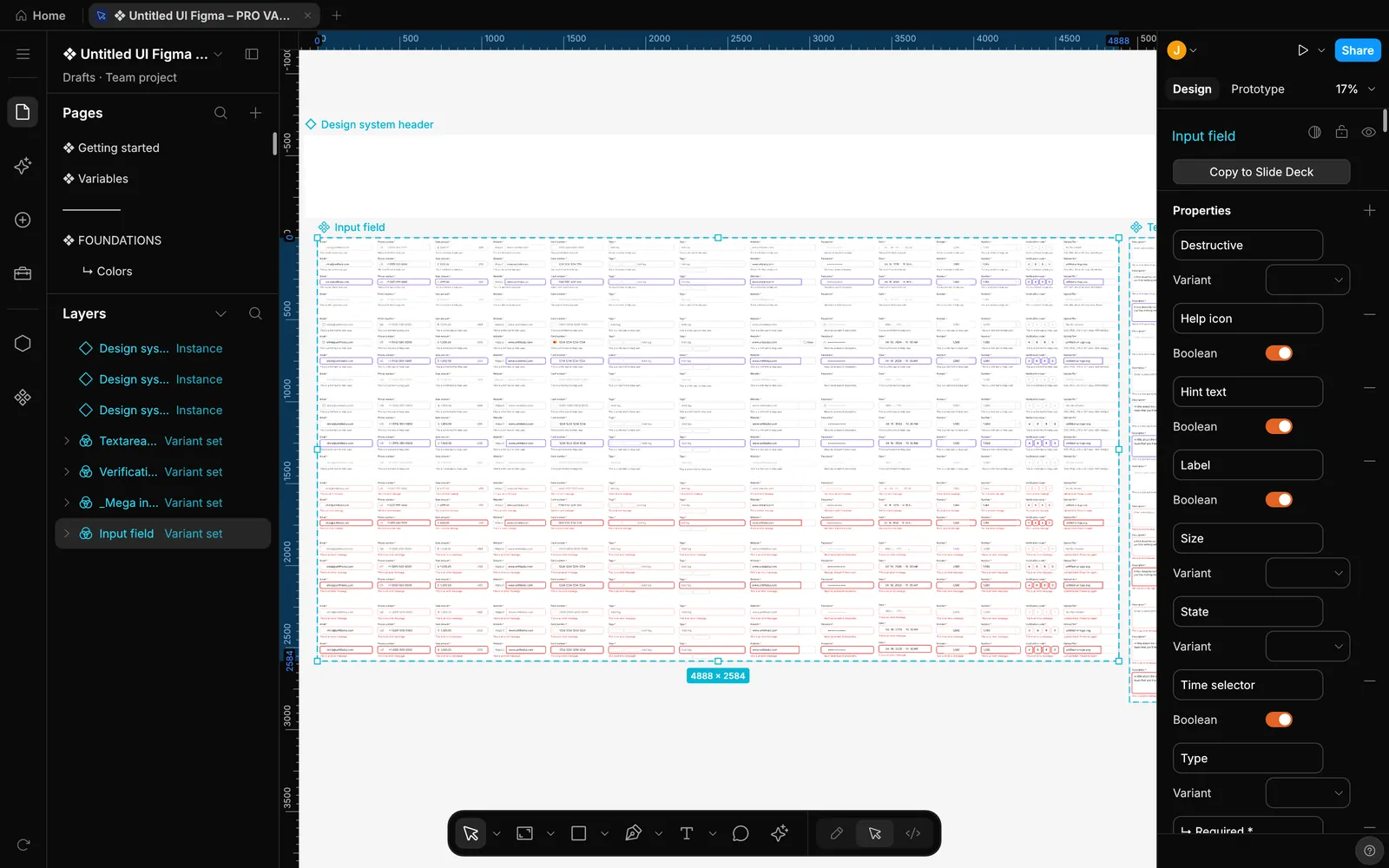
01 Figma
.fig files. Open a Figma file, edit it, save it back..fig file brings its effect styles, grid styles and variable modes with it.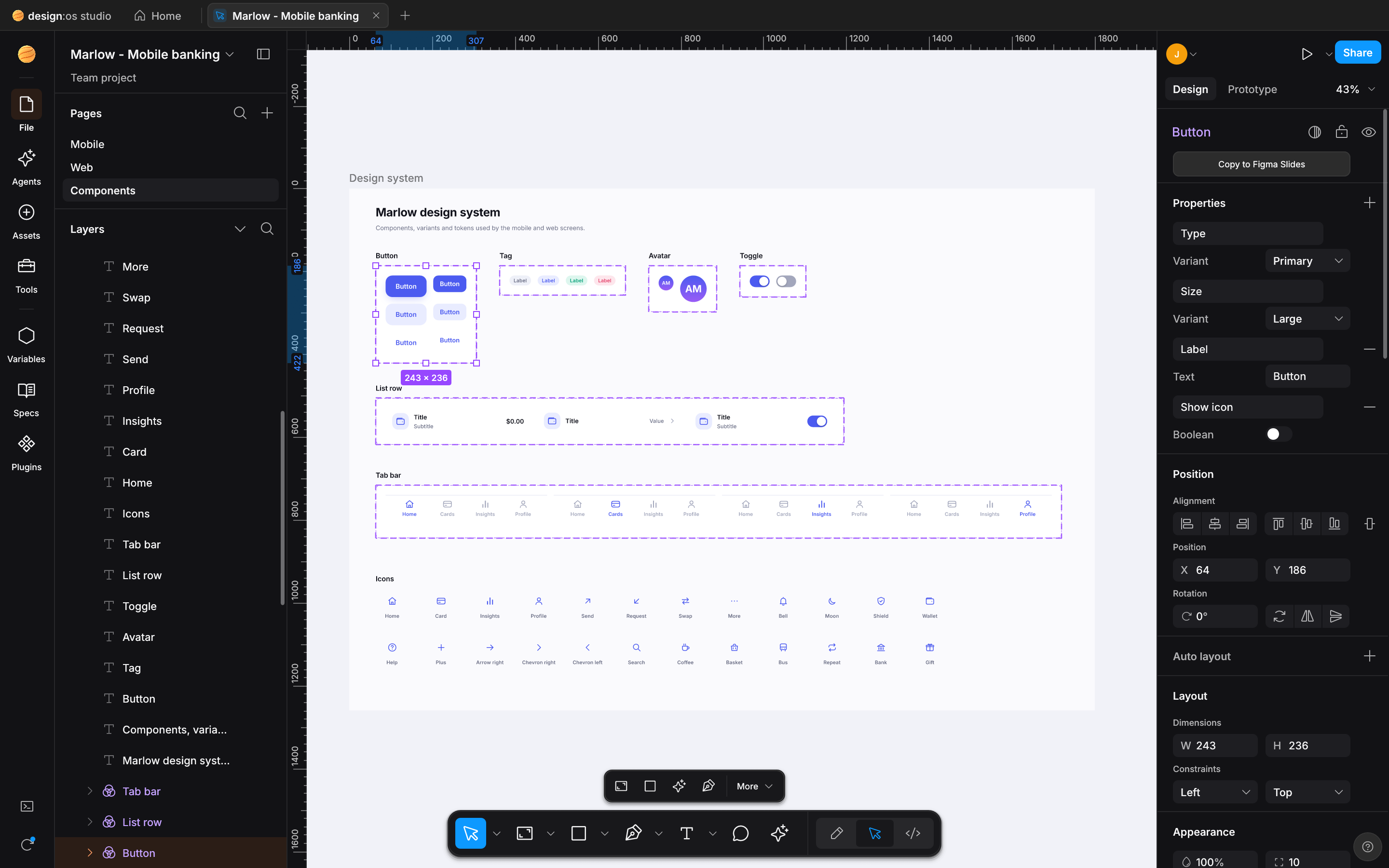
02 Agents
designos-mcp. Built-in presets for Claude Code, Codex, Grok, Antigravity and Gemini CLI.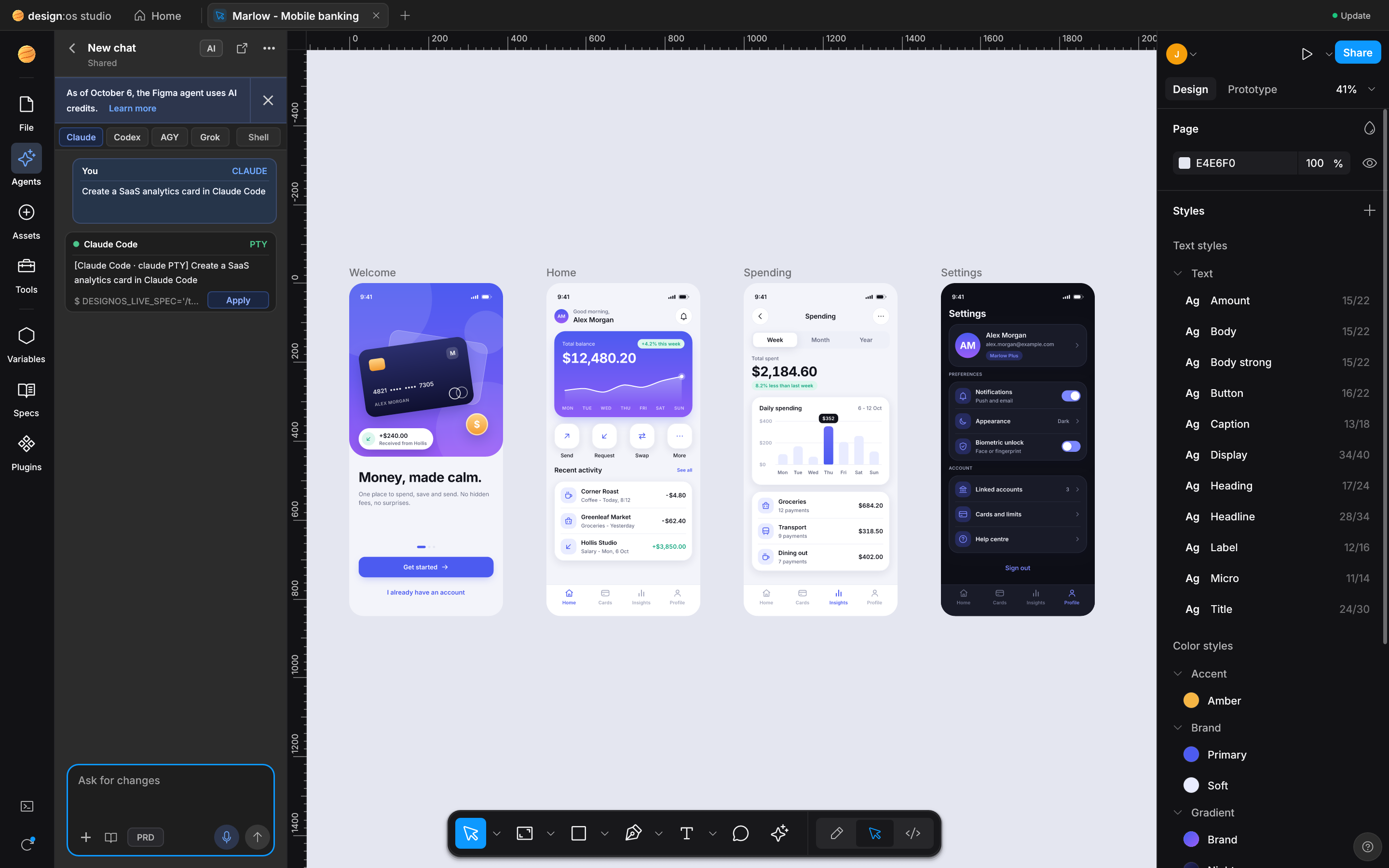
03 Code
207,601 nodes on 113 pages
That is the Untitled UI PRO v8.0 Figma kit. The canvas draws it on the GPU through wgpu.
Large pages render at low zoom, and after a quarter second without changes the canvas draws one full-quality frame.
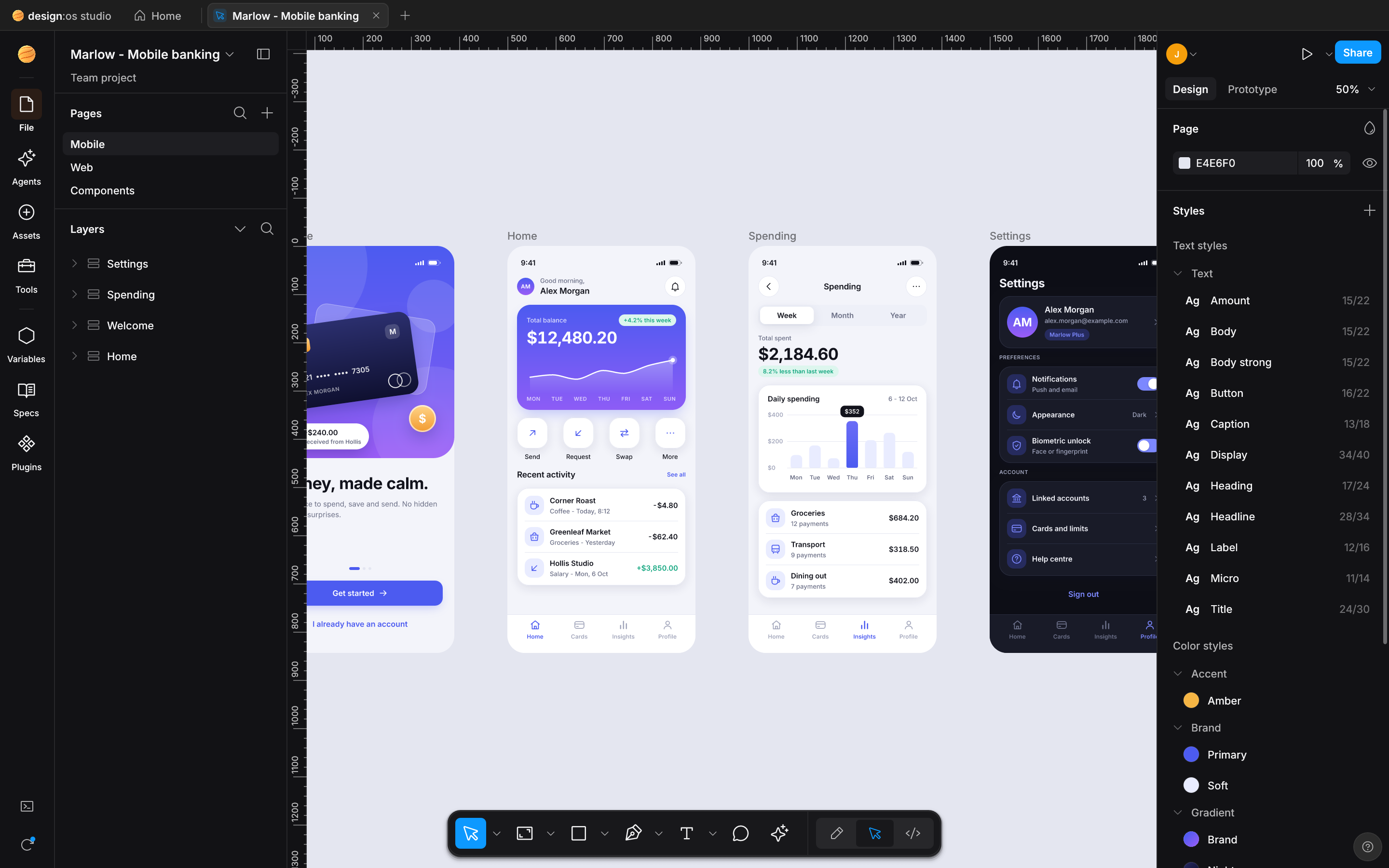
Notes for every release are in the CHANGELOG. The newest is 0.7.5. v0.6.0 has captures from the release build, and older releases are short lists.
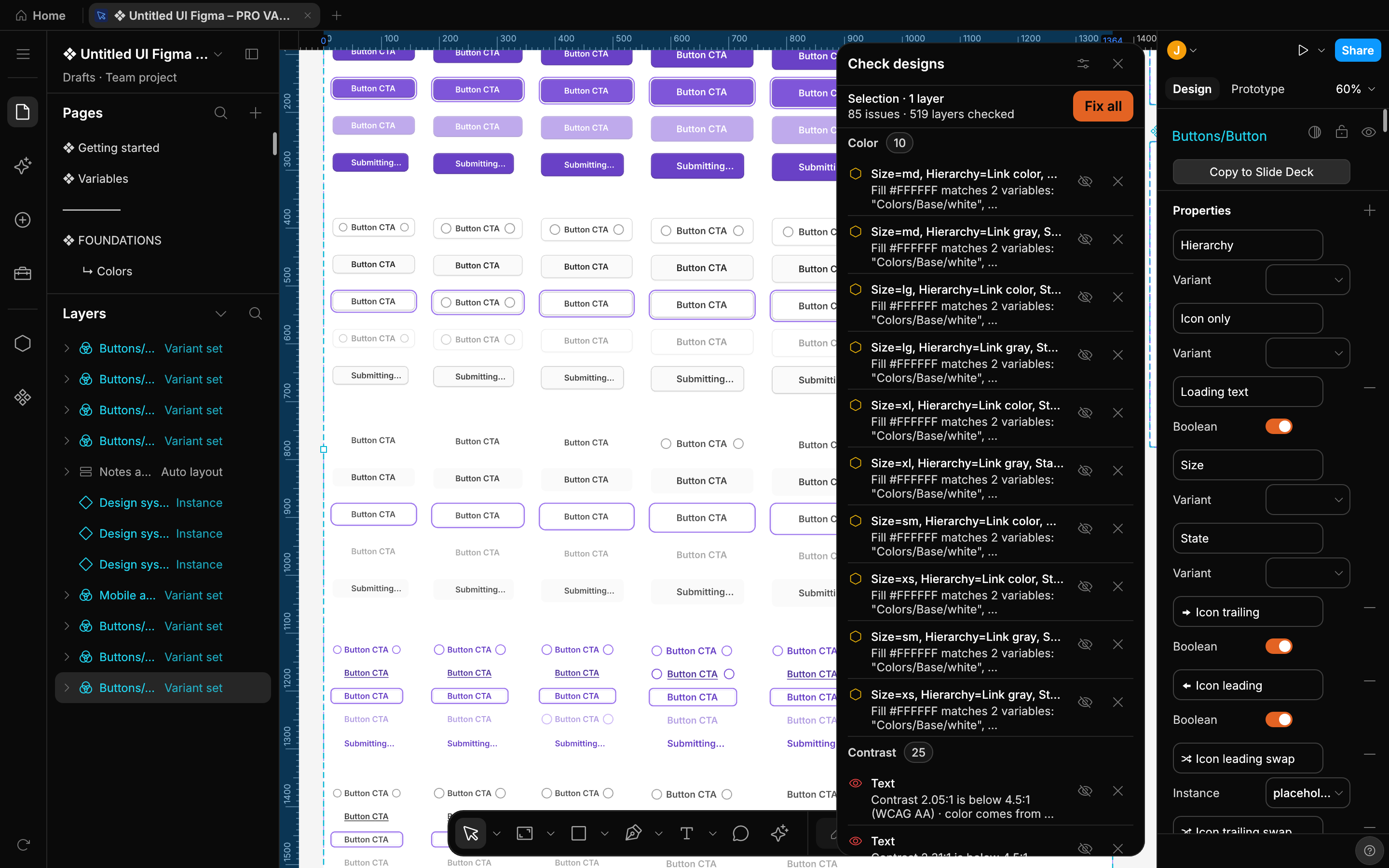
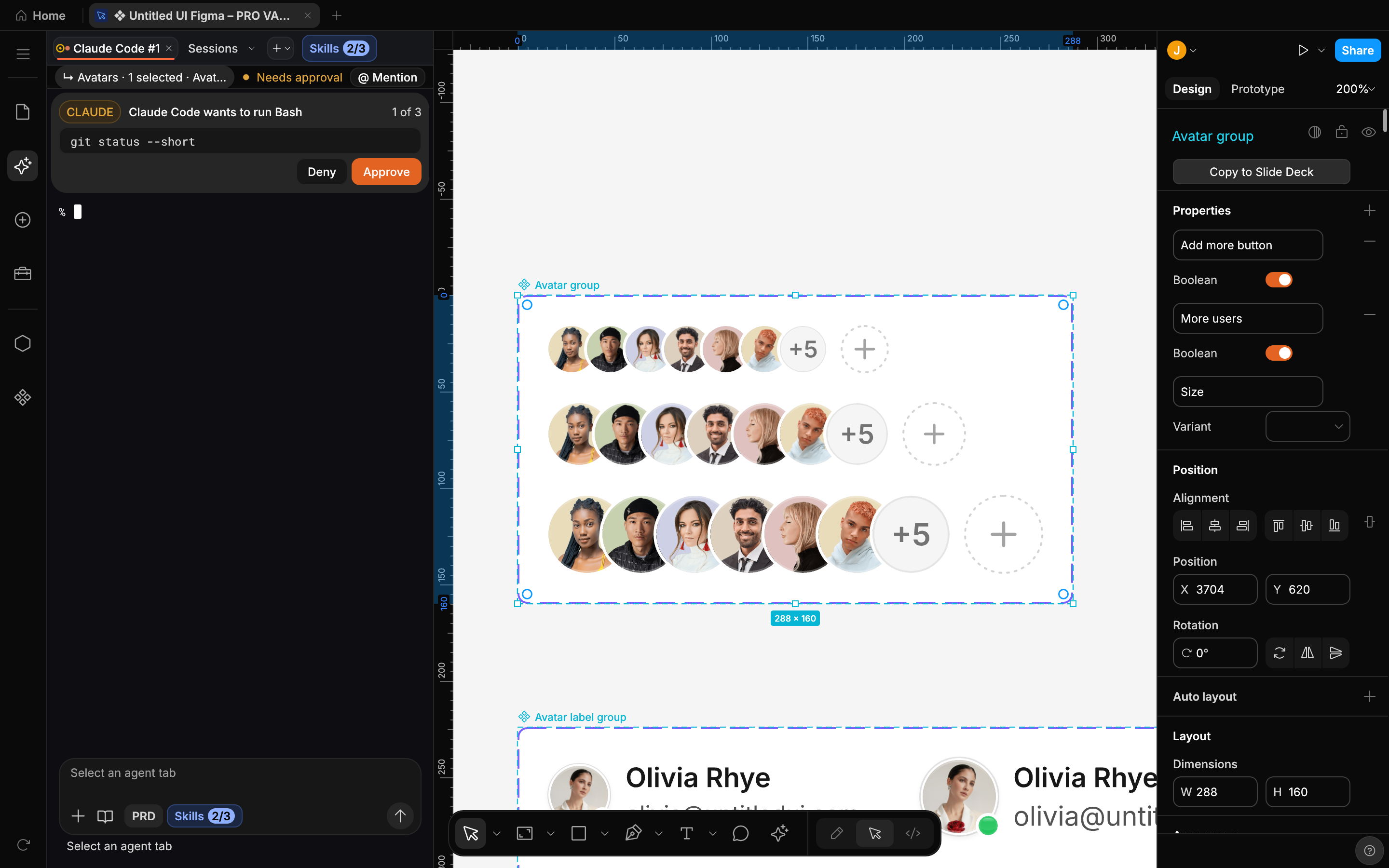
Pages, the Dev section and Layers keep their 240 px width and section order with 32 px rows and buttons, Studio orange marks live state, and a click on a page row leaves the keyboard on the canvas.+ Design file is Studio orange with a dark label instead of blue, and the sidebar, header, filter bar, file grid and Trash stay where they were.Assets search field shows a focus ring only while it has focus, Variables cells draw nothing at rest and booleans are switches, Libraries shows change labels such as New and Changed as status chips, and Check designs rules use checkboxes with a segmented contrast choice.Delete style) while linked layers keep its resolved values and variable bindings, group styles by / prefix into renameable folders (Rename folder) in Figma's order, edit style descriptions (Description) and read them as hover tooltips in style pickers and the colour picker's Libraries tab, and keep text alignment on each text layer while text styles carry paragraph indent, list spacing and leading trim.Blend), the shadow cut-out of a frame with no fill and Show behind off follows its visible children's shapes, and the Effects section's + menu caps each effect type (8 drop shadows, 8 inner shadows, 1 layer blur, 1 background blur) without trimming imported effects.Show in folder (using Downloads when no save dialog is available) and never overwrites an existing file (Card-1.png, Card-2.png, …); and atomic saves keep macOS ACLs and extended attributes while leaving your own .tmp files alone.Main menu, File, Agents, Assets, Tools, Variables, Plugins, Updates & Shortcuts), and a draggable separator between Pages and Layers resizes the Pages list and remembers its height.changed layers card with Show all scrolls inside the Agents panel with Show less while keeping Revert and Keep reachable, and an interrupted move on the canvas keeps the last pointer position.--screenshot run with unsaved edits closes after writing the PNG without stopping on Save changes to {name}?, and --apply-spec, designos_apply_spec and designos_apply_batch centre hugging button labels inside NodeSpec presets and aligned frames while designos_create_node and designos_update_node keep explicit text box sizes.Getting started project with DESIGN-OS Studio Starter, and an existing library gets it once on its first launch of 0.6.5; files you already have are not touched. Open starter sample opens a fresh copy, launching with no file argument opens Home, and the older samples, --seed-library, release --fixture and the old examples folder are removed.designos FILE --export-variables OUT.json --format dtcg --mode MODE exports one variable mode across the file’s collections (or --collection) as a single self-contained DTCG .tokens.json file with default-mode fallback, --resolve-aliases, and --color-format (hex or object), and multi-file DTCG exports keep same-named collections distinct.Working… to Done after 1.5 s and hide Stop, and the approval banner shows Show prompt to focus the current waiting tab or Open tab to switch to another waiting tab..fig import. Frame, component and instance labels repaint after an agent rename and cut to fit with … like Figma; hug and fixed-width NodeSpec text is measured with the text renderer; .fig files with top-bit 64-bit values import and export cleanly; and icons and vectors inside resized component instances scale with the instance while keeping their strokes..fig files are hidden from style pickers, Assets, layer chips and MCP listings, while unnamed listed styles show Unnamed fill style, Unnamed text style, Unnamed effect style or Unnamed grid style; large multi-layer edits finish faster by recording only the layers that changed.--select accepts id:<n>, fig:<figma id>, name:<text>, none or a layer name, supports --zoom fit, and exits 2 without writing on a miss; Home › Import › Enter a path… opens ~/ and file:// paths and starts toast timers on first paint; MCP imports enforce a 512 MiB FILE_TOO_LARGE limit, and MCP file writes return INVALID_NAME and NAME_TOO_LONG.agent-status.json, agent-events.jsonl, turn-marks.jsonl, claude-transcript.json) and Claude’s prompt-hook replies live in a Studio-private hook-out folder outside the session folder, $TMPDIR, /tmp, /var/tmp and every folder an agent CLI is granted, and the turn-mark hook reads doc-patch.jsonl size with stat -L instead of opening it.--screenshot on a missing, empty or corrupt file exits 1 with an error message and writes no PNG. --apply-spec, designos_apply_spec and designos_apply_batch report invalid NodeSpec fields in plain words instead of serde type errors, and the docs note that Ask covers agent tabs started from Studio while your own designos CLI and external designos-mcp hosts approve their own calls.Import opens the file chooser when org.freedesktop.portal.Desktop starts on first use or when zenity is installed, and when no file dialog can open it names the cause and offers Enter a path….designos-mcp refuse links and FIFOs in session files. The skill and agent files no longer include the document or page name.Needs approval with an Open tab button and hold the composer while Gemini’s confirmation prompt is on screen. Ask-mode Grok and Antigravity tabs move non-Studio session configs aside before starting, and Grok never evaluates a .envrc.Create text style), pick styles from enabled libraries when the file has none of its own, and export a page from the page panel’s Export section.\, ", \( and control characters in SwiftUI strings.designos-diff --version prints the version. MCP file writes (designos_save_file, designos_render_png, designos_export_fig_file) refuse links, control or bidi characters, and names over 255 bytes; designos_export_fig_file refuses an existing file unless overwrite is set; and outside-workspace errors no longer echo the path.>_ rail button are gone. Cmd+` (Ctrl+` on Windows and Linux) opens and closes the Agents panel. Agents ask before acting by default.Save changes to {name}? before a close, a quit or an open drops edits to a file outside the library, and asks before a file changed on disk replaces them. On macOS, Cmd+Q asks too. An agent that opens another document no longer replaces yours..fig files. Export never replaces an existing file and says where it wrote. designos --export-fig refuses a path that does not end in .fig and a symbolic link, and needs --overwrite to replace a file. A save or export to .fig or .pen warns when it leaves comments out.designos --version prints the version, and a file argument that is not on disk stops with an error.Screenshots retaken with the 0.7.5 release build, captured headlessly with designos-studio --screenshot (2x) on a copy of the Untitled UI PRO v8.0 Figma kit, by Untitled UI. Click an image for full size. The approval card comes from the built-in --panel agents-approval-queued preview.
Also in 0.6.0
--import-variables and --export-variables. An import merges into the file and reports what it skipped.designos_apply_batch and check their work with designos_lint..fig files. Export follows Figma’s own field numbering, types and enum values, and slot preferred values are written as Figma’s real object..fig files, per-child align-self, and an Update auto layout action that upgrades an older frame..fig..fig files bring their effect and grid styles.Verified on macOS. The Windows and Linux packages are built by the same release workflow but are not verified before release. On a Mac, the first launch needs Open Anyway once. All downloads and checksums
/plugin marketplace add jangtrinh/design-os-studio
/plugin install design-os-studio@design-os-studiogit clone https://github.com/jangtrinh/design-os-studio /tmp/design-os-studio
mkdir -p ~/.codex/skills/design-os-studio ~/.codex/prompts
cp -R /tmp/design-os-studio/skills/design-os-studio/* ~/.codex/skills/design-os-studio/
cp /tmp/design-os-studio/prompts/doctor.md ~/.codex/prompts/design-os-studio-doctor.md
rm -rf /tmp/design-os-studiogit clone https://github.com/jangtrinh/design-os-studio /tmp/design-os-studio
mkdir -p ~/.gemini/skills/design-os-studio
cp -R /tmp/design-os-studio/skills/design-os-studio/* ~/.gemini/skills/design-os-studio/
rm -rf /tmp/design-os-studioA native desktop design editor written in Rust. It draws on the GPU with wgpu, opens and saves Figma .fig files, and bundles a local server so coding agents can edit the open document.
Yes. Studio opens and saves .fig files. You can also copy layers in Figma desktop and paste them onto the Studio canvas with Cmd+V. They land centered in the view as one undo step, images included.
Studio bundles designos-mcp, a local MCP server, and an Agents panel with built-in presets for Claude Code, Codex, Grok, Antigravity and Gemini CLI. Agent edits replay into your open document, wait while you drag, and each one is its own undo step.
macOS, Windows and Linux. Releases are verified on macOS; the Windows and Linux packages are built by the same release workflow but are not verified before release. On a Mac, the first launch needs Open Anyway once.
PolyForm Shield 1.0.0: free to use and modify, including for commercial work, but you may not resell it or offer a product that competes with it. The source is on GitHub.
Source-available. macOS, Windows and Linux.


