12 blanks. 12 with 3D.
- 25%
- PASS
- 50%
- PASS
- 75%
- PASS
- 100%
- PASS
12 shared edges
≤ 0.5 mm gap
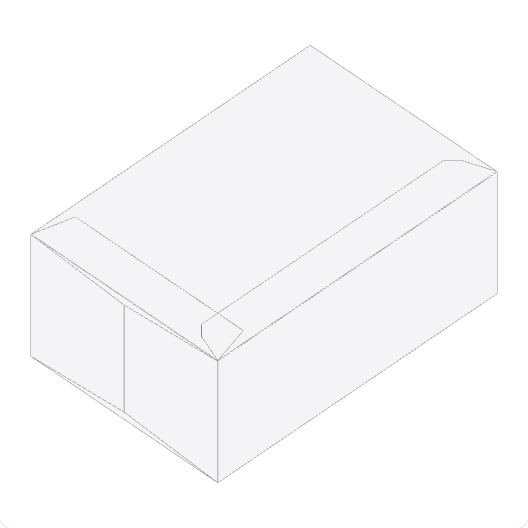
DESIGN:OS Origami generates parametric carton dielines, printer exchange files and source-derived folding previews from Python.
Python ≥3.10 · MIT
- Carton choices
- 11 products · 12 blanks
- Interface
- Python CLI
- Presentation
- SVG · DXF · HTML
- Printer profile
- Spot PDF · R2000 DXF
- Preview gate
- Source-dependent continuity
- Site
- Static · no build step
The blank is the common source.
A dieline, a printer exchange sheet and a folding view need to describe the same geometry. Start with the full blank and follow its paths through each output.
The topology tests check a single CUT contour, connectivity and slit attachment. These structural checks do not establish physical foldability.
- 1 / Dieline
Set the geometry.
Generate 11 parametric carton products as 12 separate SVG and presentation DXF blanks.
- 2 / Printer paths
Name the handoff.
Export a printer profile with five named spots, 1 pt PDF strokes, a legend and 3 mm default bleed.
- 3 / Fold inspection
Follow the hinges.
Inspect source-derived rigid-panel motion when the sampled continuity gate permits a 3D preview.
11 products.
12 blanks.
Individual source-generated examples, with full SVGs and separate printer PDF/DXF downloads. Dimensions below describe the shown blank, not the finished carton.
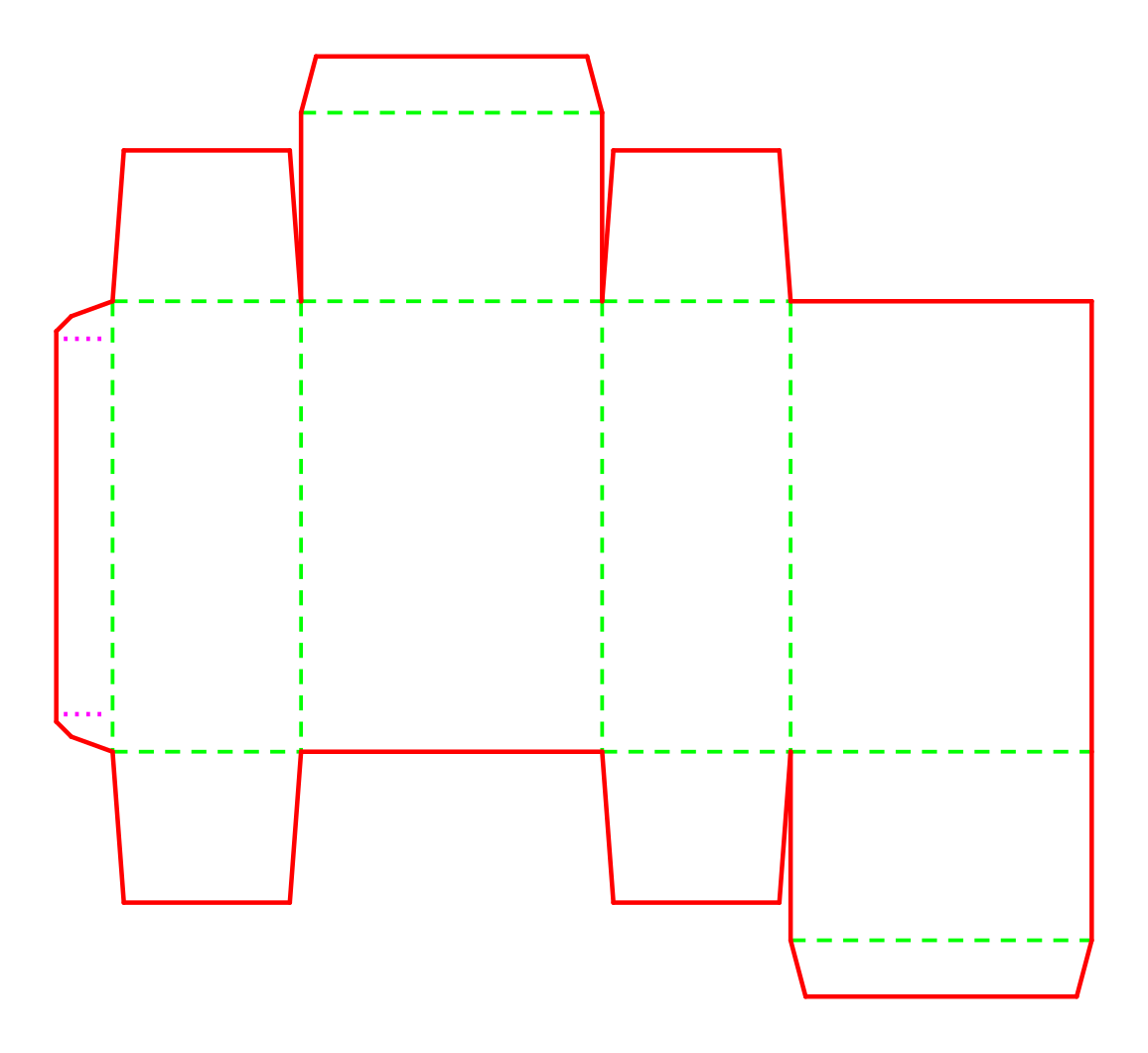
Tuck box
3D preview available
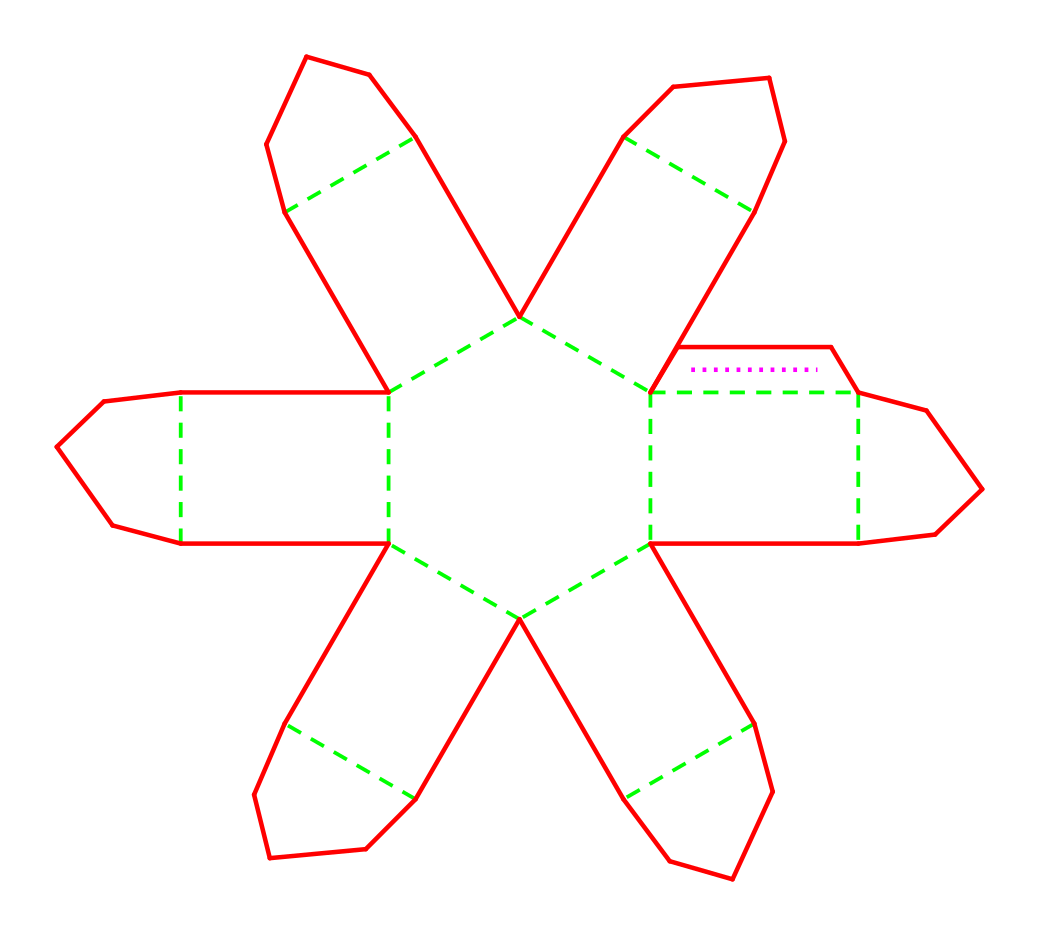
Hexagonal petal box
3D preview available
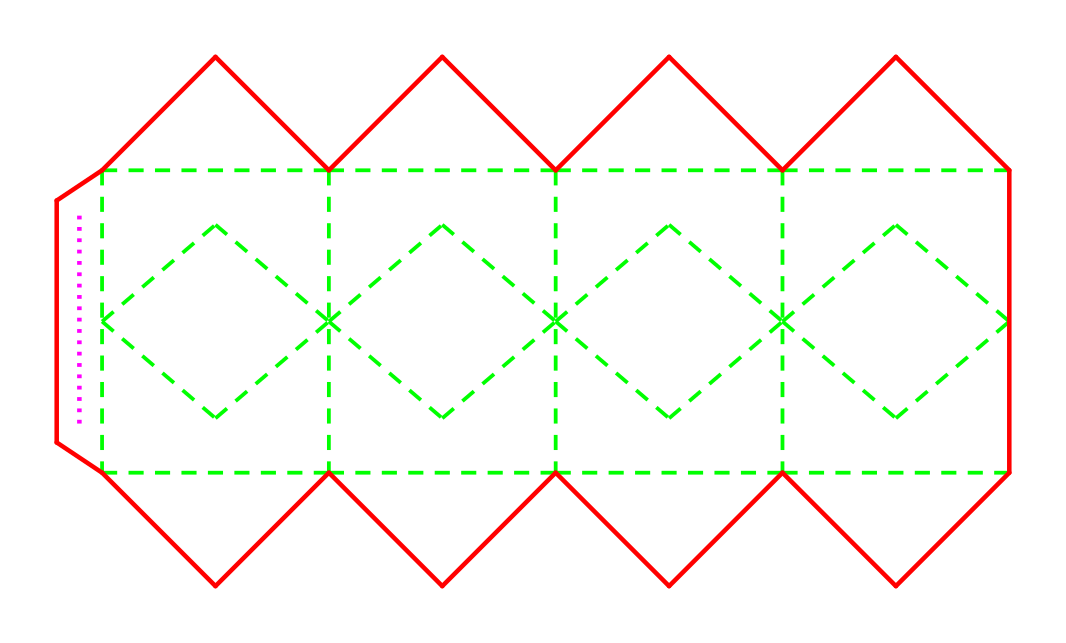
Diamond faceted box
3D preview available
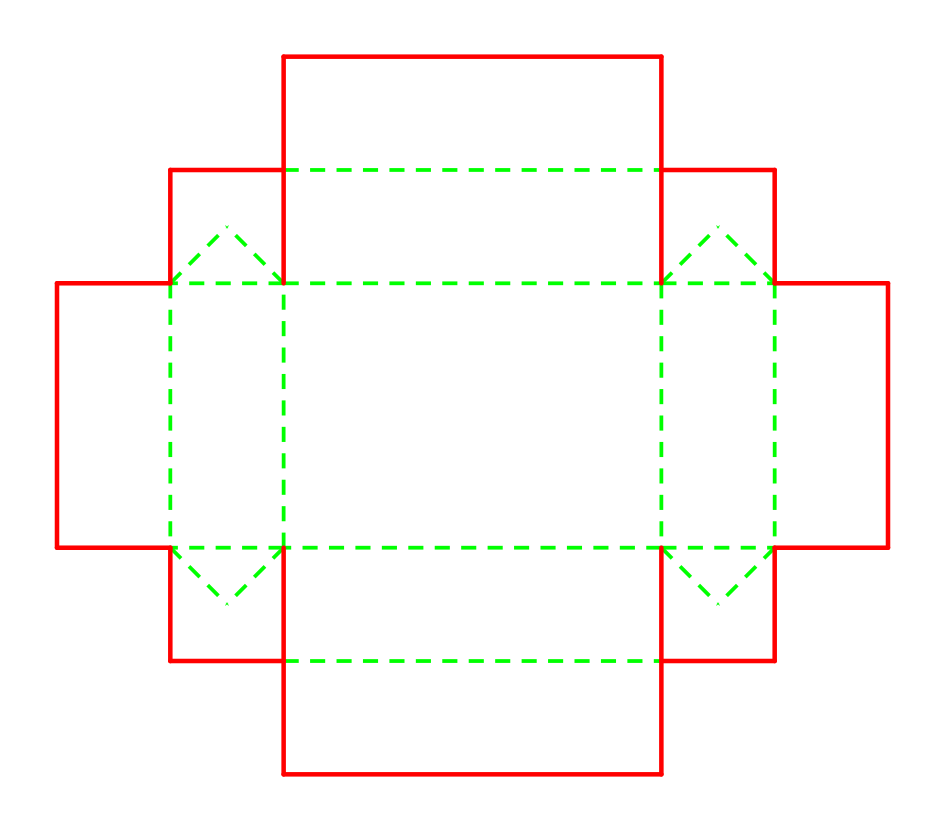
Zero-glue tray
3D preview available
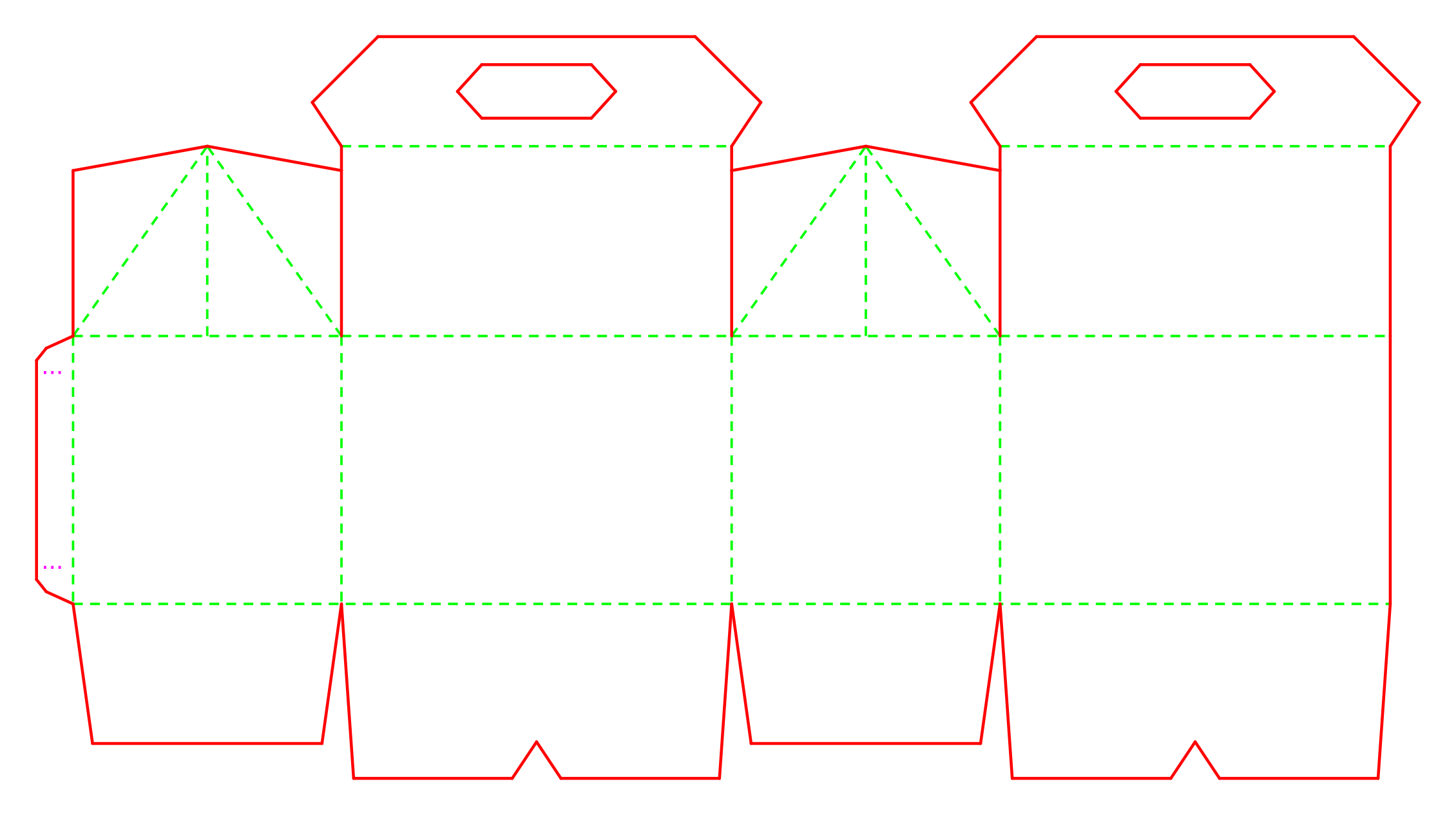
Gable handle box
3D preview available
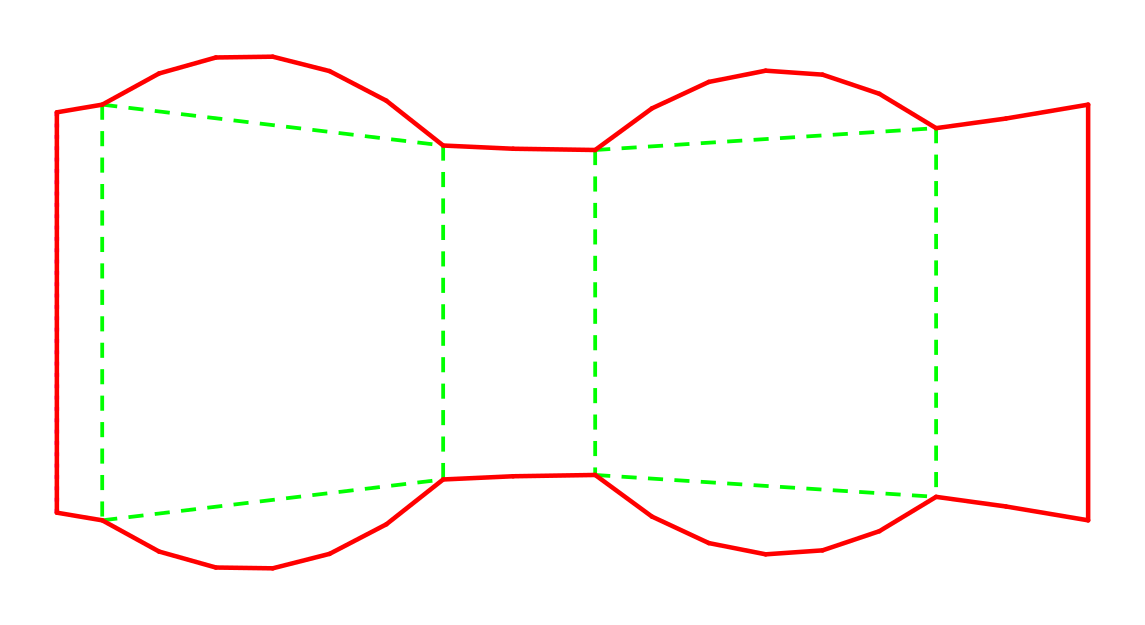
Pillow box
3D preview available
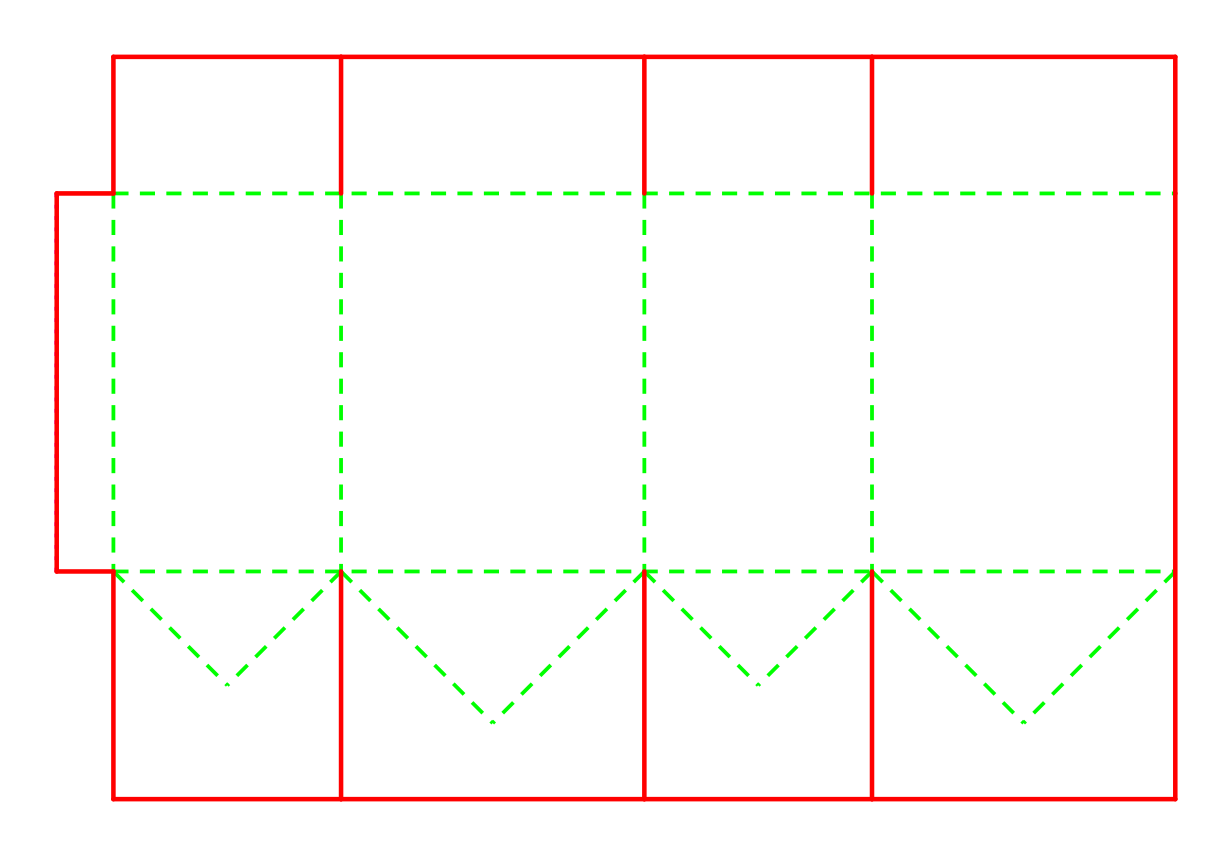
Crash-lock box
3D preview available
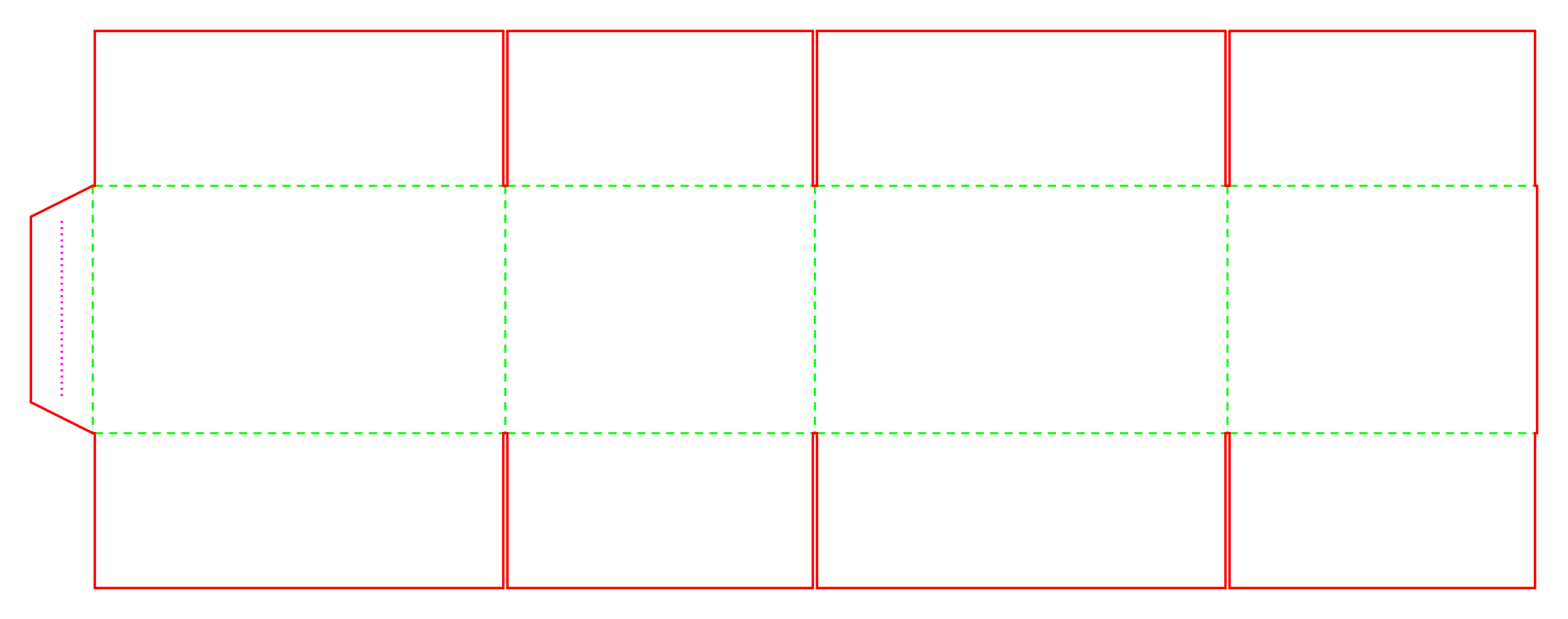
FEFCO 0201 RSC
3D preview available
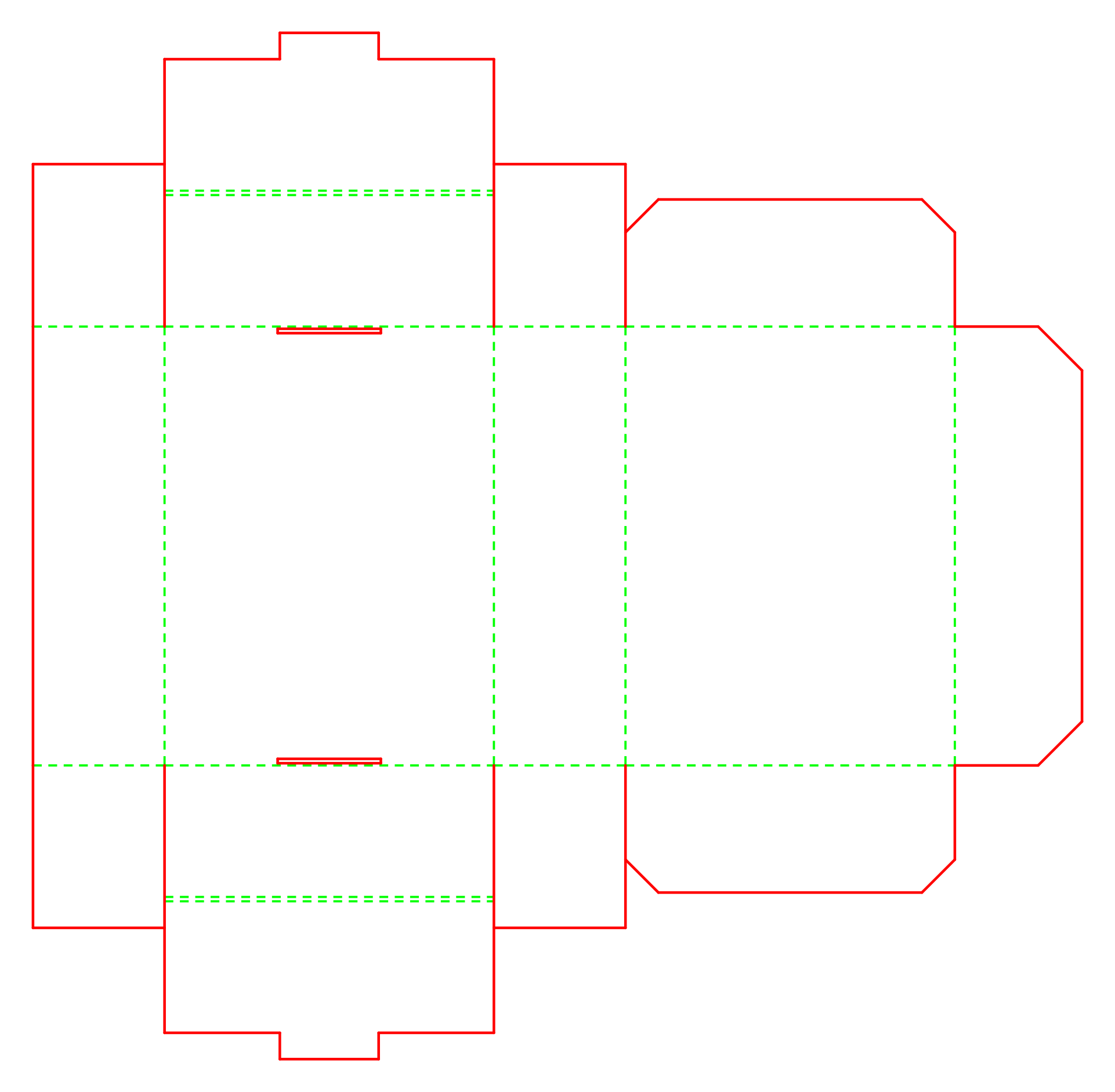
FEFCO 0427 mailer
3D preview available
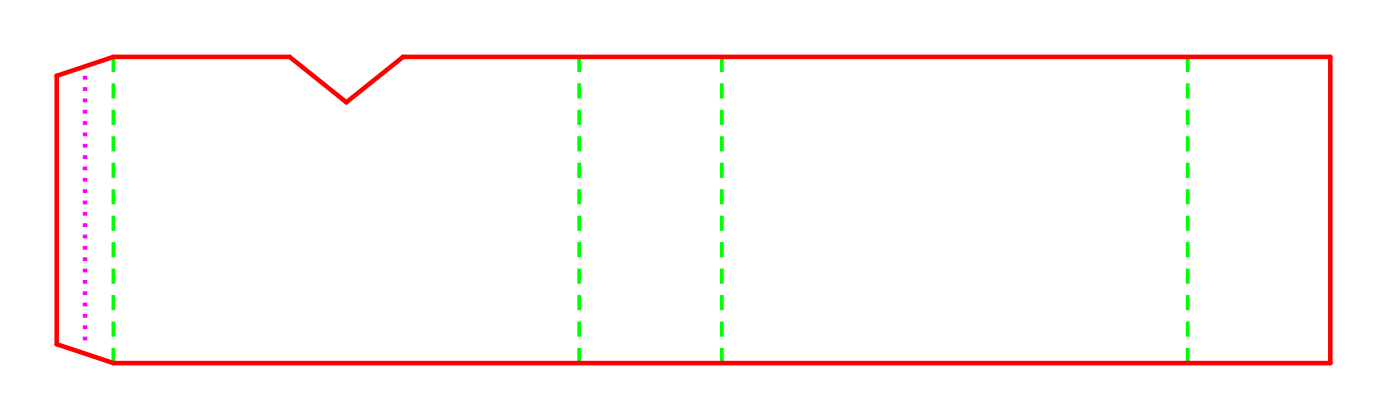
Sleeve + tray · sleeve
3D preview available
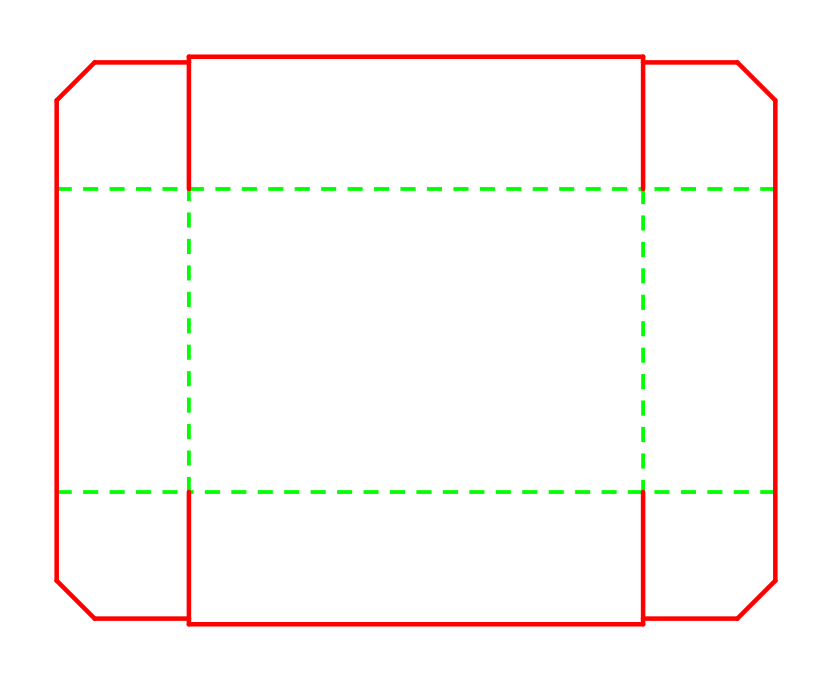
Sleeve + tray · tray
3D preview available
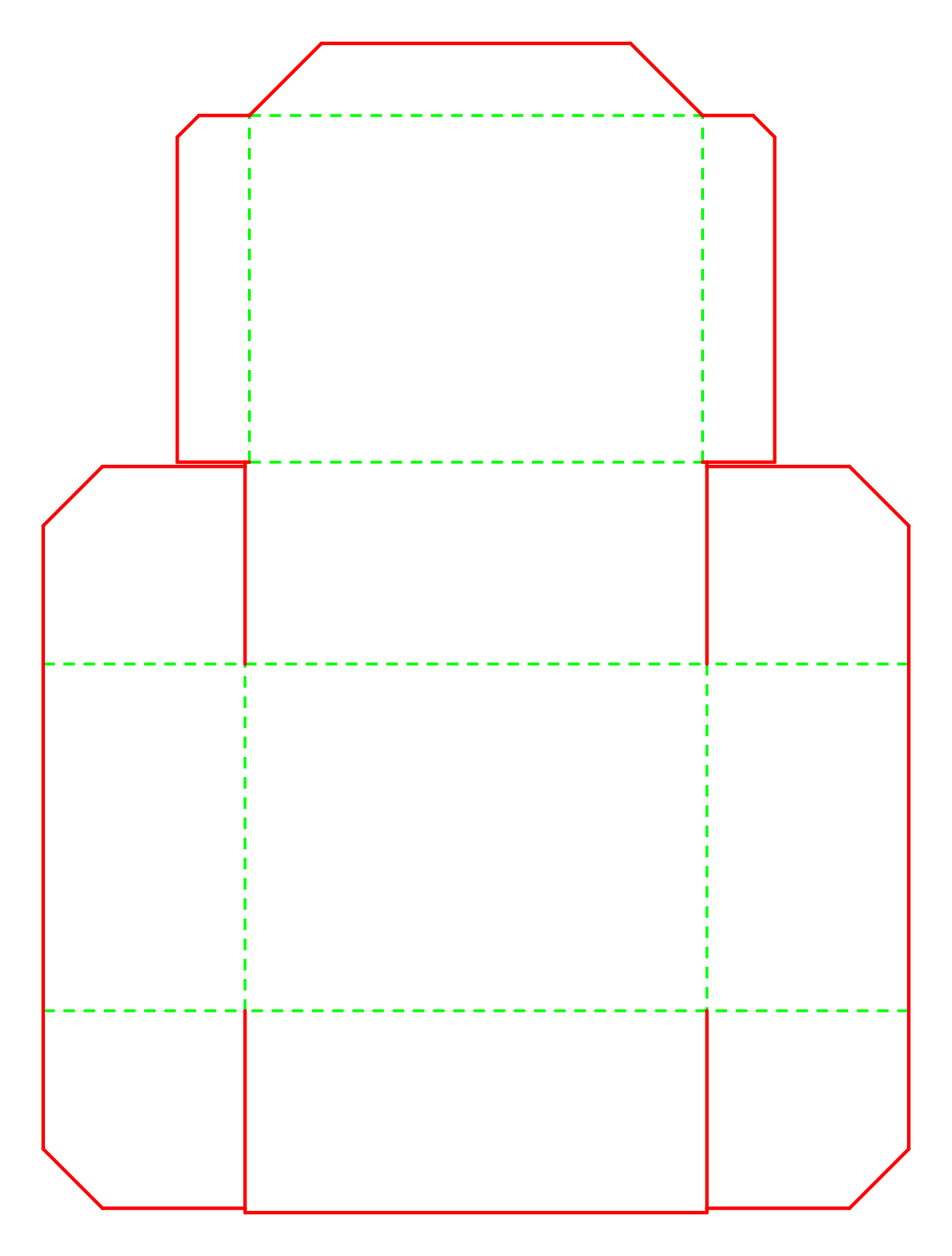
Hinged food box
3D preview available
These catalogue examples record their own dimensions and caliper in catalog.json; they are not a promise that every parameter combination folds. Miura-ori and deer-base are separate research patterns, outside this carton catalogue.
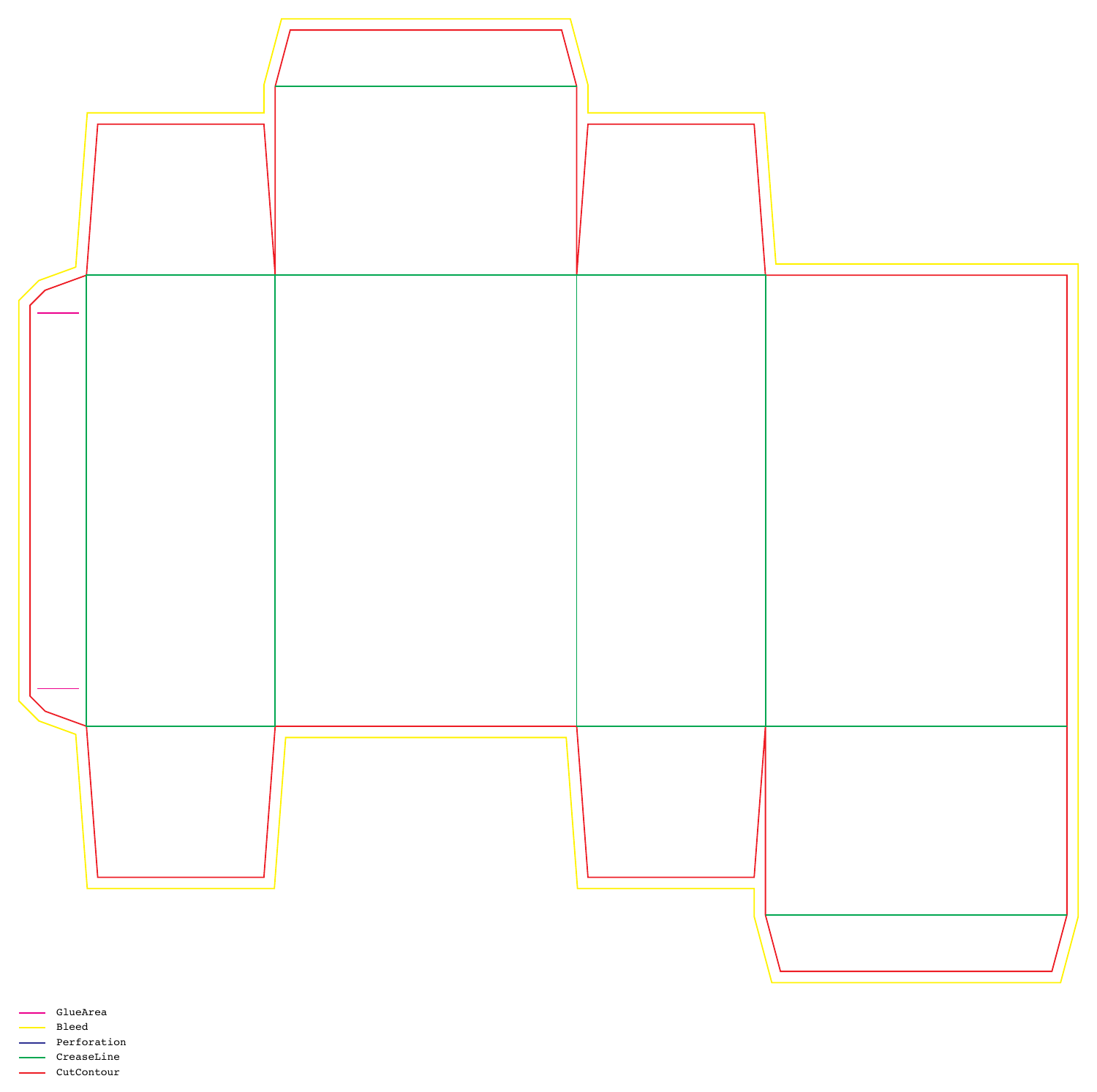
A handoff with named paths.
Export a printer profile with five named spots, 1 pt PDF strokes, a legend and 3 mm default bleed.
- CutContour
- Cut contour
- CreaseLine
- Crease paths
- Perforation
- Perforation paths
- Bleed
- Exterior allowance
- GlueArea
- Glue paths
Printer DXF is R2000 with millimetre units and y-up coordinates. Presentation DXF is the separate R12 drawing export; its recipient unit/orientation profile is unspecified and it loses mountain/valley direction.
The legend uses all five spots even when a particular blank has no paths of a given type. Agree the names, bleed and import settings with the recipient.
From flat paths
to moving panels.
Inspect source-derived rigid-panel motion when the sampled continuity gate permits a 3D preview. Choose a blank, then rotate, pan and zoom its generated viewer; use the fold controls to inspect progress.
Rigid-panel visualization; the baseline checks four positions at a 0.5 mm tolerance. Coordinated crash-lock motion also passes 101 samples and endpoint/loop closure checks. The 2D drawing remains available if JavaScript, the Three.js r128 CDN or WebGL is unavailable.
Open the standalone viewerChoose the workflow
for the job.
A parameter-driven blank makes regeneration explicit. Drawing, recipient checks and physical sampling still have their own jobs.
On narrow screens, scroll the comparison horizontally.
| Task | Drawing / separate inspection | DESIGN:OS Origami |
|---|---|---|
| Geometry changes | Edit a drawing and inspect each changed path. | Regenerate from dimensions and caliper; inspect the result. |
| Printer handoff | Specify the recipient’s layers, spots and scale. | Start from an explicit five-spot PDF and mm/y-up printer DXF; still qualify the recipient. |
| Fold inspection | Fold a sample or use a separate simulation workflow. | Inspect source-derived rigid-panel motion when the continuity gate permits it. |
| Physical qualification | Check material, fit and manufacturing behaviour. | The same physical checks remain necessary; the preview does not replace them. |
Use a recipient-qualified CAD/prepress workflow for accepted manufacturing exchange. Use a physical sample to establish fold/fit. These generated files and previews do not establish either outcome.
Before you
cut or fold.
What does DESIGN:OS Origami generate?
It generates 11 parametric carton products as 12 separate SVG and presentation DXF blanks, standalone viewers, and a separate printer profile with spot-colour PDF and R2000 DXF. Sleeve + tray uses two separately named blanks and one file per blank. Miura-ori and deer-base are separate research patterns.
Which cartons have a 3D fold preview?
All 12 shown catalogue blanks (Tuck box, Hexagonal petal box, Diamond faceted box, Zero-glue tray, Gable handle box, Pillow box, Crash-lock box, FEFCO 0201 RSC, FEFCO 0427 mailer, Sleeve + tray · sleeve, Sleeve + tray · tray, Hinged food box) have qualified source-derived 3D previews. Availability depends on the generated geometry; it does not prove physical fold/fit.
What is in the printer profile?
The defaults are CutContour, CreaseLine, Perforation, Bleed and GlueArea, with 1 pt PDF strokes, a five-spot legend and 3 mm bleed. Printer DXF is R2000 with millimetre units and y-up coordinates. Recipient RIP/CAD import is not verified.
How do I run it?
Use Python 3.10 or newer from a checkout and run the Quickstart commands. Presentation mode writes SVG, DXF and viewer HTML; printer mode writes a separate PDF and DXF.
Does the preview prove the carton will fold and fit?
No. The baseline checks continuity at 25%, 50%, 75% and 100% with a 0.5 mm tolerance. Coordinated crash-lock motion must additionally pass 101 samples and endpoint/loop closure checks. The preview does not prove continuous-time motion, collision avoidance, material behaviour, glue closure or physical fold/fit.
What are the license and browser requirements?
Original repository work is MIT licensed; third-party references retain their own rights. The static landing page has no analytics, cookies or widgets. The embedded viewer requires JavaScript, WebGL and the pinned Three.js r128 CDN; its 2D dieline remains available when 3D cannot load.
Generate your first blank.
From the repository checkout, with Python ≥3.10. The first command uses presentation mode; the second adds the printer profile.
PYTHONPATH=src python3 -m origami_cad.cli generate --type tuck-box --output-dir output
PYTHONPATH=src python3 -m origami_cad.cli generate --type tuck-box --profile printer --output-dir output
find output -maxdepth 1 -type f | sort
The sorted file list for this tuck-box run:
output/TuckBox_80x50x120.dxf
output/TuckBox_80x50x120.svg
output/TuckBox_80x50x120_printer.dxf
output/TuckBox_80x50x120_printer.pdf
output/TuckBox_80x50x120_viewer.html- Generate the presentation files and inspect the full SVG blank. Keep each earlier delivery in a separate output directory before regenerating.
- Generate the printer profile and inspect its PDF legend, spot names, bleed and dimensions at 100% scale.
- Open the generated viewer, inspect available fold motion, then qualify RIP/CAD import and physical fold/fit with the recipient before manufacturing.
What is NOT verified
- Recipient RIP/CAD import and prepress acceptance are not verified.
- Physical fold/fit, material, grain, tooling and manufacturing tolerances are not verified.
- The baseline samples four positions; coordinated motion also passes 101 samples and endpoint/loop closure checks, with the same 0.5 mm seam tolerance. Continuous-time motion, automatic locking and collision avoidance are not verified.
Score allowances are uncalibrated heuristics. Knowledge documents have mixed provenance; structural lint does not establish their engineering claims.
Read the contracts.
- Printer profile: spots, bleed, scale and exchange limits
- Fold preview: extraction, continuity and motion limits
- Use with your local AI host
- README
The public repository name and canonical URL are prepared for publication. Remote availability is not verified.